The post React Native Ecosystem: Everything You Need to Know appeared first on Alian Software.
]]>History of React Native
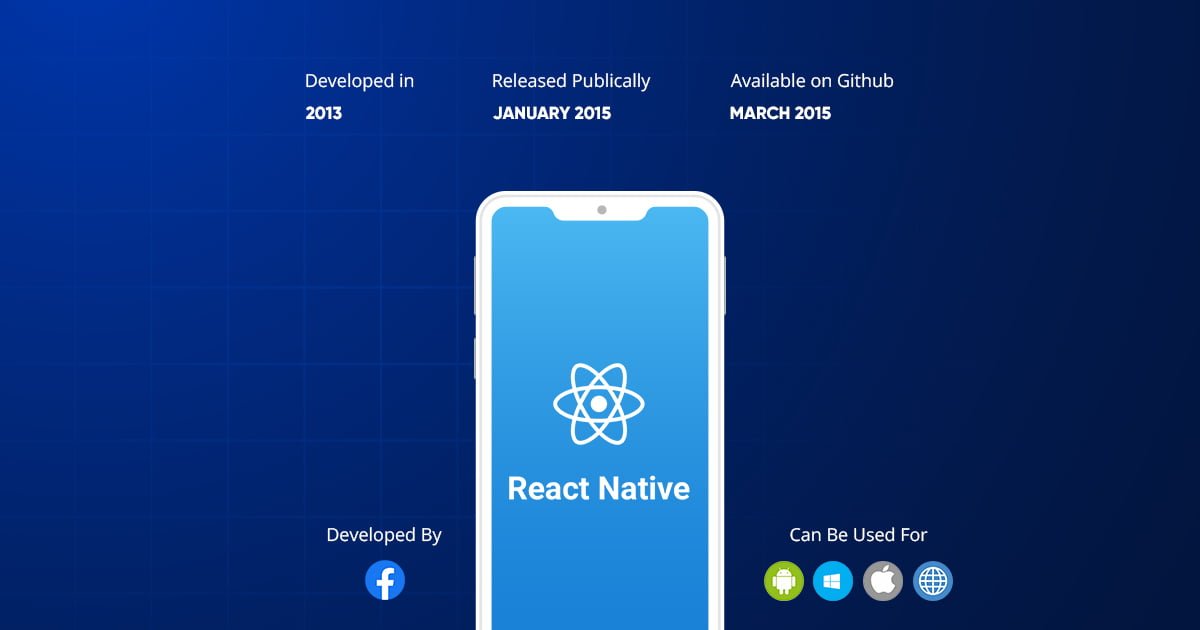
Features of React Native includes (i) React − This is a Framework for building web and mobile apps using JavaScript. (ii) Native − You can use native components controlled by JavaScript. (iii) Platforms − React Native supports IOS and Android platforms.
What are the Advantages of React Native?
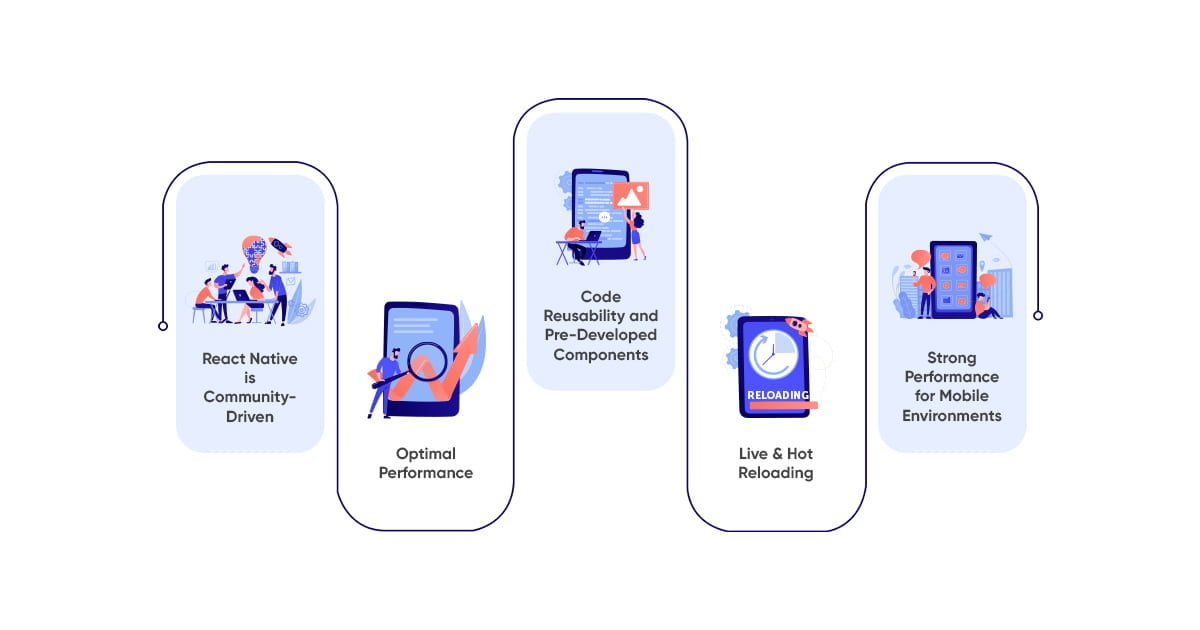
React Native is Community-driven
Being an open-source framework, React Native enables the entire community of developers to examine all documentation concerning this technology free of any charge and also allows them to contribute to it whenever they want. A framework that is entirely community-driven, with React Native you can always reach out for guidance from other developers, search for relevant information, and even help out other developers struggling with something. Developers can also take advantage of the community by asking other developers to review or give relevant feedback on their ongoing undertakings. Furthermore, developers are encouraged to share their findings and learnings, making it a truly collaborative experience for everyone involved. This is one of the awe-inspiring benefits of using React Native.
Optimal Performance
The effectiveness of the platform lies in enhancing performances with the use of native modules and controls. It operates by interacting with Android and iOS native components and proceeds to generate codes to native APIs, independent of any interference.
Performance amplification and improvement is a direct result of the framework using a distinctly different thread, separate from the native APIs and UIs.
Code Reusability and Pre-Developed Components
Perhaps one of the most significant React Native app advantages for the developer community is code reusability. All the developers have to do is simply reuse 90% of React Native codes for iOS and Android, instead of creating separate apps for iOS and Android.
This helps in reducing the time and cost of the project and is a godsend for all business and app developers. What’s even better is the case where the business already possesses an application written in React – in that scenario, the development cost is further reduced because much of the existing code can be reused to create the new app. Pre-developed components in the open-source library enable developers to freely access codes. These codes are already written and the developers will be getting ready to deploy them. The result? Faster development!
Live & Hot Reloading
React Native actively aids Live as well as Hot Reloading, even though they are different from each other. Live Reloading can compile and read the changes made by a coder. It also furnishes a new file to the simulator, which then automatically reads the app from the start.
Hot Reloading, based on Hot Module Replacement (HMR), was introduced after the first reloading process was conducted. While retaining the features and function sequence, Hot Reloading has an added advantage – after saving changes in the file, and HMR intermediator then proceeds to keep the updated files into the required places as the app continues to operate in the background. The primary advantage of using Hot Reloading lies in its ability to sanction changes in the source code in a fashion that lets the developer view the codes, even if he does not recompile the app.
So, if a developer has two or more windows open for the code and the app screen, he can instantly see the results after making the required changes in the code. Hence, Hot Reloading ensures that waiting time is drastically reduced.
Strong Performance for Mobile Environments
The React Native architecture is very well tuned to mobile devices. It makes use of the GPU (Graphics Processing Unit), while native platforms are more ‘CPU intensive’. Compared to hybrid technologies – which was the only option for cross-platform in the past – React Native is superfast.
What is React Native Ecosystem?
1. UI Frameworks & BoilerPlates
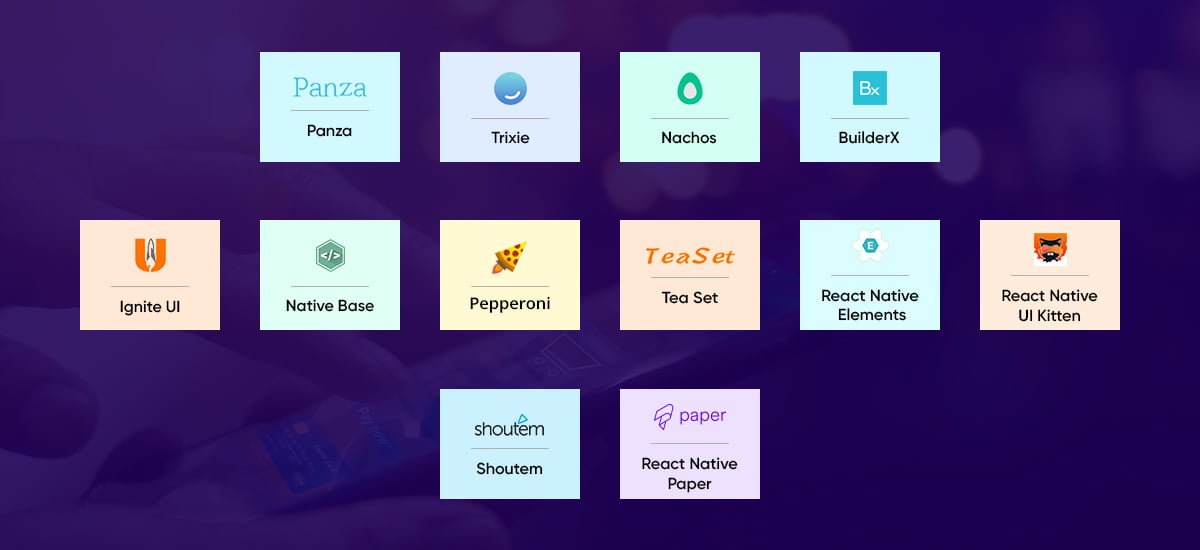
2.Trixie: Trixie is a simple & beautiful UI kit for react-native.
3.Nachos: Nachos UI is a React Native component library. It contains more than 30 components.
4.BuilderX: BuilderX is a browser-based screen design tool that codes React Native & React for you.
5.Ignite UI: Ignite is the most popular React Native app boilerplate for both Expo and bare React Native.
6.NativeBase: NativeBase is an open-source framework to build React Native apps over a single JavaScript codebase for Android and iOS.
7.Pepperoni: A free and open-source blueprint to kickstart your mobile product development for Android and iOS, powered by React Native.
8.Tea Set: Teaset is a UI library for React Native that provides 20+ pure JS(ES6) components, focusing on content display and action control.
9.React Native Elements: React Native Elements is a cross-platform React Native UI toolkit that puts together in one place a number of great open-source UI components made by developers.
10.React Native UI Kitten: UI Kitten is a React Native implementation of the Eva Design System. It contains a set of general-purpose UI components styled in a similar way. You focus on business logic and the Kitten takes care of visual appearance. And the most awesome thing: the themes can be changed in the runtime, without any need of reloading the application.
11.Shoutem: Shoutem UI is a set of styleable components that enables you to build beautiful React Native applications for iOS and Android. All components are built to be both composable and customizable. Each component has a predefined style that is compatible with the rest of the Shoutem UI, which makes it possible to build complex components that look great without the need to manually define complex styles.
12React Native Paper: Paper is a collection of customizable and production-ready components for React Native. It follows Google’s Material Design guidelines.
2. Virtual Reality and Augmented Reality
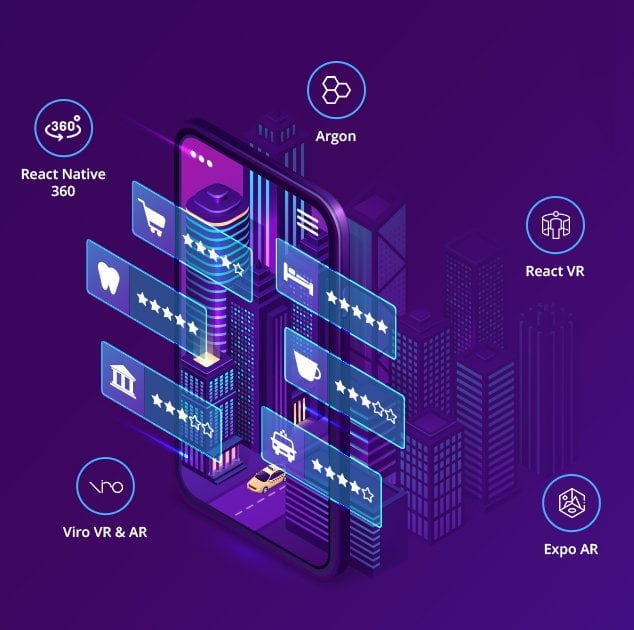
2. React VR: React VR aims to allow web developers to author virtual reality (VR) applications using the declarative approach of React and in particular React Native. React VR uses Three.js to support the lower-level WebVR and WebGL APIs. In addition, React VR adds VR components like Pano, Mesh, and PointLight into the mix.
3. Viro VR & AR: Viro React is a platform for developers to rapidly build augmented reality (AR) and virtual reality (VR) experiences. Developers write in React Native, and Viro runs their code natively across all mobile VR (including Google Daydream, Samsung Gear VR, and Google Cardboard for iOS and Android) and AR (iOS ARKit and Android ARCore) platforms.
4. Expo AR: Enables the creation of 3D Augmented Reality scenes with ARKit for iOS. This library is generally used with expo-three-ar to generate a camera and manage a 3D scene.
5. Argon: Argon React Native is a fully coded app template built over Galio.io, React Native, and Expo to allow you to create powerful and beautiful mobile applications. You will save a lot of time going from prototyping to full-functional code. Because all elements are implemented over Galio and every element has multiple states for colors, styles, hover, focus, that you can easily access and use.
3. Text Editors and IDEs
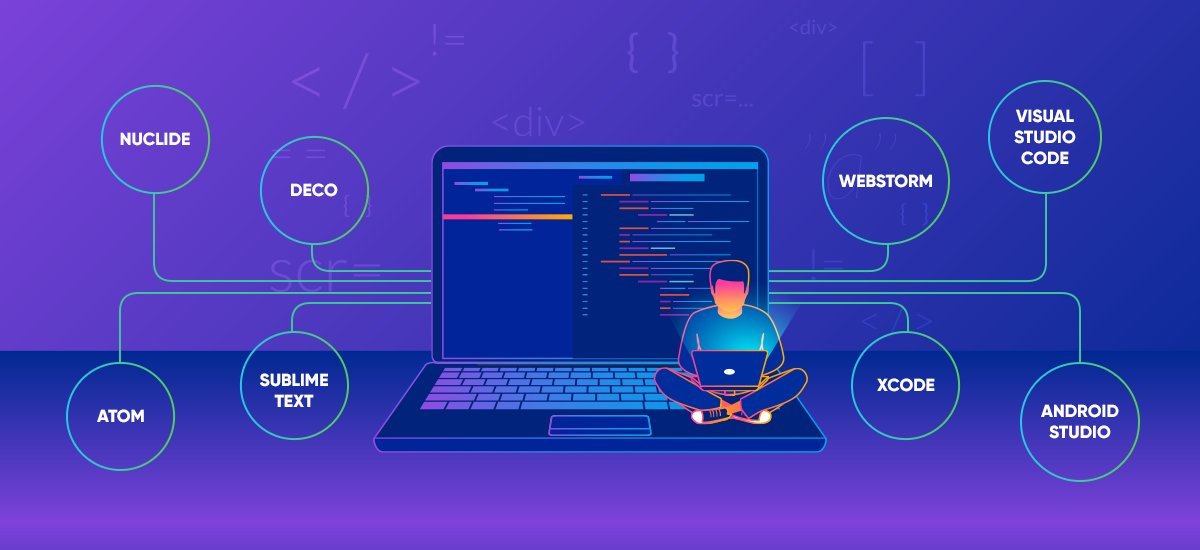
2. Deco: It is the best IDE for building React Native Apps is now free and open source.
3. Atom: Atom is a free and open-source text and source code editor for macOS, Linux, and Microsoft Windows with support for plug-ins written in JavaScript, and embedded Git Control, developed by GitHub. Atom is a desktop application built using web technologies.
4. Sublime Text: Sublime Text is a sophisticated text editor for code, markup, and prose. You’ll love the slick user interface, extraordinary features, and amazing performance.
5. Webstorm: WebStorm is a powerful IDE for modern JavaScript development. WebStorm provides full support for JavaScript, TypeScript, HTML, CSS as well as for frameworks such as React, Angular, and Vue. js right out of the box, no additional plugins are required.
6. Visual Studio Code: Visual Studio Code is a free source-code editor made by Microsoft for Windows, Linux, and macOS. Features include support for debugging, syntax highlighting, intelligent code completion, snippets, code refactoring, and embedded Git.
7. Xcode: Xcode is Apple’s integrated development environment for macOS, used to develop software for macOS, iOS, iPadOS, watchOS, and tvOS. It was first released in 2003; the latest stable release is version 12.3, released on December 14, 2020, and is available via the Mac App Store free of charge for macOS users.
8. Android Studio: Android Studio is the official integrated development environment for Google’s Android operating system, built on JetBrains’ IntelliJ IDEA software and designed specifically for Android development.
A nuclide is built as a single package on top of Atom to provide hackability and the support of an active community. It provides a first-class development environment for React Native, Hack, and Flow pro.
4. Local Databases
2. Realm: Realm is a mobile platform and a replacement for SQLite & Core Data. Build offline-first, reactive mobile experiences using simple data sync.
3. EXPO SQLite: Expo-SQLlite gives your app access to a database that can be queried through a WebSQL-like API. The database is persisted across restarts of your app. An example to-do list app is available that uses this module for storage.
4. Couchbase Lite: Couchbase Lite is an embedded NoSQL database for iOS, Android, and .Net platforms. The framework’s API supports native platform bindings for Android (Java), iOS (Swift, ObjC), and UWP/Xamarin (CSharp). This implies that if you are building a React Native app in Javascript and you want to use Couchbase Lite as your embedded data persistence layer, you will have to find a way to access Couchbase Lite’s native APIs from the React Native Javascript world. You can accomplish that with React Native Modules.
5. Pouchdb: The pouchdb-react-native preset contains the version of PouchDB that is designed for React Native. In particular, it ships with the AsyncStorage adapters as its default adapters. It also contains the replication, HTTP, and map/reduce plugins.
5. Authentication and Authorization

2. Firebase Authentication: Firebase Authentication provides backend services & easy-to-use SDKs to authenticate users to your app. It supports authentication using passwords, phone numbers, popular federated identity providers like Google, Facebook and Twitter, and many others.
6. Payments
1. Razorpay: You can start accepting payments from customers on your app built using React Native, by integrating with Razorpay React Native Standard SDK. The React Native Standard SDK acts as a wrapper around the Razorpay Standard SDK to build a dynamic and responsive Checkout interface for your iOS or Android application.
2. Clover: Clover is the fastest-growing point-of-sale platform backed by Fiserv, a market leader processing over 50% of global card transactions. Merchants spend millions of dollars each year on marketing, loyalty, accounting programs, and other services to run their businesses. Be a trailblazer and help merchants grow their business with your app on the Clover App Market. Developers receive 70% of the net subscription revenue. Learn more about monetizing your apps.
3. Square: Square is an end-to-end payment processor or virtual terminal which can be used on any compatible platform. Square is not a standalone payment gateway solution. Instead, it comes as part of a bigger eCommerce solution. This software is extremely versatile because it essentially turns your customers’ devices into portable point-of-sales terminals. Because of this, you’ll often find that Square’s core product is actually their in-person POS(point of sale) system. It gives merchants a way to collect payments from customers by reading credit cards using a smart device or by manually entering in credit card information. That said, over the years Square has stepped up to the plate to compete with well-established companies such as Stripe. In fact, you can now use Square to easily collect payments from customers shopping in your online store.
4. Stripe: Stripe has a cloud-based infrastructure designed for reliability, scalability, and security. Not to mention, it’s very developer-centric, works for business websites and applications, and is rooted in both code and design. In addition, Stripe can be used as a standalone solution for those needing to send out invoices and collect payments for products or services. Though this is not the most common way to use Stripe, since most people integrate into the eCommerce sites, it’s just another way to use this flexible and powerful payment gateway. To give you an idea of how powerful Stripe is, know this: retail giants like Lyft, Amazon, and Microsoft use Stripe. Talking about companies, Kinsta uses Stripe as well.
7. Deep Linking
2. CleverTap: CleverTap is a customer retention platform that provides the functionality to integrate app analytics and marketing. The platform helps customers increase user engagement in three ways.
a. Tracks actions users are taking and analyzes how people use the product.
b. Segment users based on their actions and run targeted campaigns to these segments.
c. Analyze each campaign to understand their effect on user engagement and business metrics.
3. AppsFlyer: AppsFlyer is a mobile ad attribution platform that allows advertisers to analyze which campaigns drive results. AppsFlyer empowers marketers to grow their business and innovate with a suite of comprehensive measurement and analytics solutions. Built around privacy by design, AppsFlyer takes a customer-centric approach to help 12,000+ brands and 5,000+ technology partners make better business decisions every day.
8. Debugging
(i) Viewing your application state.
(ii) Show API requests & responses.
(iii) Perform quick performance benchmarks.
(iv) Subscribe to parts of your application state.
(v) Display messages similar to console.log
(vi) Track global errors with source-mapped stack traces including saga stack traces!
(vii) Dispatch actions like a government-run mind control experiment
hot-swap your app’s state using Redux or mobx-state-tree
(viii) Track your sagas
(ix) Show image overlay in React Native
(x) Track your Async Storage in React Native. You plug it into your app as a dev dependency so it adds nothing to your product builds.
2.Chrome Developer Tools: React Developer Tools is a Chrome DevTools extension for the open-source React JavaScript library. It allows you to inspect the React component hierarchies in the Chrome Developer Tools.
The Components tab shows you the root React components that were rendered on the page, as well as the sub components that they ended up rendering. By selecting one of the components in the tree, you can inspect and edit its current props and state in the panel on the right.
Conclusion
React Native can help companies make high-quality and scalable mobile apps with attractive and responsive UI and deliver an excellent native app user experience to their customers with its services.
Other than the user experience the benefits and features offered are immense. There is code reusability, creation of a community of expert developers. Along with developers getting access to a range of pre-created elements, and many more. All of which comparably aid the developers in reducing the time and costs of the projects.
But it also has many drawbacks, and since it’s relatively new and improving, many developers choose not to use it when making certain complex apps. One should note, however, that the community of React Native developers is growing every day and so, its shortcomings are also improving and the collection of components is also increasing. Soon, the advantages of React Native app will outstrip its drawbacks. In the future, React Native will be used to build apps requiring more advanced functionalities, and safety features, and it will soon become the popular choice among app developers everywhere. We have significant experience in providing React Native App Development services, which provides clients with Responsive High-Performance Applications.
Being one of the top Reactive Native App Development companies, we harness the power of React Native to build remarkable, versatile JavaScript applications that are acceptable on both Android and iOS platforms. When it comes to React Native Mobile App Development Services, we push digital transformation across the enterprise by harnessing the power of the React Native platform.
React Native is one of the most popular global app development frameworks with a thriving development community. As an established react native development company, we unearth the hidden benefits when you choose React Native for app development.
Features :
- Speed
- Animations
- Live updates
- Improved UI/UX
- Code-Reusability
- Modular Architecture
- Shorter development cycle
- Cross-Platform compatibility
- Reduced development cost and time
- Open source Api’s & third party libraries
If you are looking to hire react native developers for your next project, choose our experts to drive disruptive innovation. Our experts have a glorious track record of transparent communications, timely delivery, and 100% client satisfaction. Based on your custom requirements, we provide the best react native app development services.
If you want to develop the best React Native apps, get in touch with our highly skilled and experienced app developers today. Contact us at sales@aliansoftware.net

The post React Native Ecosystem: Everything You Need to Know appeared first on Alian Software.
]]>Even though your website has unique features implemented with it, if the website’s load time is high, then it affects your business in many different ways like drop off in traffic, loss of money, negative impact on SEO, etc. So, throughout this article, we will discuss the different ways through which it becomes possible to increase page speed. Let’s begin.
The post A Complete Guide to Improve Page Speed appeared first on Alian Software.
]]>Reduce Unnecessary and Avoidable API Calls to Server
- Implement input data validation on both ends i.e on the front-end and backend. Due to this, you can achieve your goal to call an API in a single request. If validation is not implemented on the front-end side, then in the first request, the server will send a data validation error in the response and you have to again send the request with the correct data.
- Wherever possible store frequently required data on the frontend side. On the website, sometimes it is required to show the same information on multiple pages. So, instead of making an API call on each and every page, use the concepts like Local storage, Session storage, cookies, etc to keep data saved on the frontend side. If you are building a frontend using the latest frontend frameworks, then use state management facilities provided by the used framework. For example, if your building a frontend in vue.js then uses vuex that is the state management pattern + library provided by vue.js.
- Make the frontend design in a way that requires less amount of data from the server in a single API call. For example, you have hundreds of products in your database, then instead of showing all the products on the first page, use the pagination or lazy loading of data in your design. With that Make the backend API in a way that it sends paginated data instead of sending all the data in a single call.
- Try to reduce the 3rd party API calls from the website to increase website page speed. If it is not possible to remove 3rd party APIs from the website then analyze the updated pattern of the API’s response data. If response data is not updating frequently then store them in your database and write a cron job that runs once a day to get and update data from the 3rd party API.
Use Minified Version of JS, CSS
Minified versions of the CSS or JS comparatively take fewer bytes to download than the original one. So, the browser will download it quickly. There are many tools available like uglify.js, CSS-minify which convert your regular JS and CSS into its minified version. Nowadays because of Node, it becomes easy to convert regular code and all dependencies into a single bundle file using tools like Webpack and Browserify. Thus, it will help in optimising website page speed.

Reduce Image Size
- Website pages which are having many images on them take too much time to load compared to pages which are having just text on them. So, in that case, either we have to resize or compress the images in a way that the quality of the image should not be compromised.
- Reducing the size will reduce image quality, but a 10% to 20% reduction in image quality won’t change its appearance on the website. Sometimes adopting new image formats, such as WebP and JPeg XR, can also help reduce image weight by 20% to 50% without sacrificing quality.
Cache Page Data
-
- Nowadays, mostly all the latest browsers provide the facility to cache page data. When you visit any new website for the first time, the browser will cache all the required JS, CSS, or image files in its cache. So, next time when you visit the same website, the browser will load the data from the cache instead of sending requests for each resource to the server. Browsers store the data in a cache for a specific amount of time. After that browser will clear the cache and download the latest content of the website. You can check the cached data in the browser’s console.
Server cache:
-
- Just like the browser, the server can also cache the data. But instead of storing it on the same machine, it stores the data nearer to the server’s location.
Once a server cache the website data, next all the requests will get a response from the cache without reaching out to the server for each request. Developers can set the cache expiration time in the request header. Once the set expiration time is over, all the cache data will get cleared and on the next request of the website, the server will again store the latest data in a cache.
- Just like the browser, the server can also cache the data. But instead of storing it on the same machine, it stores the data nearer to the server’s location.
Reduce The Use of 3rd Party Plugins/Packages
In the frontend or backend development, 3rd party plugins play an important role to implement different features with less amount of code and time. But with the advantages, it also has one drawback and that is, it increases your final project size. So, if not necessary then try to avoid the use of 3rd party plugins. For example, in Node.JS to allow CORS requests 8 to 10 lines of code is required. So, in this case, it is possible to avoid the use of external packages that are designed to allow CORS requests and developers can manually add this functionality to the website. This is also a step to optimize website page speed.
Choose Hosting Plan Wisely

Database Optimization
For any website, database operations are always heavy compared to any other operations. Thus, proper database design/structure makes a significant difference on website performance. Database optimization reduces the database system response time and requirement of complex queries to get required data. There are various ways available for database optimization like remove unused tables, use indexes for your database, validate your database design against DBMS normalization techniques like 1NF, 2NF, 3NF, BCNF, etc.
Conclusion
Above mentioned all the tips are common for each type of website. It is not necessary that every step is well suited for your website. But you can keep all the points in your mind at the time of development. So, that you don’t have to spend more time to increase page speed once the development is about to complete. There are also many other ways that can increase your page speed. So, if you are facing slow page speed issues then analyze and find the root cause behind it by debugging your site and applying different solutions for the issues. With that, you can also use different tools like GTmetrix to analyze the page’s speed performance.
At Alian Software, our team of highly experienced developers will help you out with your website page speed. You can simply call us or Contact us at sales@aliansoftware.net.
The post A Complete Guide to Improve Page Speed appeared first on Alian Software.
]]>The post Quick Guide: What is Google Analytics & Search Console appeared first on Alian Software.
]]>What is Google Analytics?
There are many other tools that can help you collect and measure your website data. Further divided into two types say free analytics tools and paid analytics tools which could be easily differentiated on the basis of support, features, and functionality. Here is a list of tools that can help in collecting data.
- On the top is Google Analytics & Google Analytics 360 (which is paid) by Google Marketing Platform.
- Kissmetrics by the brilliant SEO expert Neil Patel.
- Adobe Analytics by Adobe.io and more.
Earlier discussed was the free version of Google Analytics also known as GA. The paid version is Google Analytics 360 which is mainly used by websites that earn traffic and visitors in millions. But for websites that receive limited visitors can use GA’s free version which is suitable & perfectly fine.
Why Google Analytics? Reasons to use Google Analytics

How Do Users Find Your Website?
There are billions of websites on Google competing with each other. In this competitive world, business personals want themselves to be found by their target audience and grab their attention to the website.
Google Analytics plays an important role here and a different section is created for this purpose called Acquisition dedicated to providing useful information on how they found your business. There are different channels through which a user lands on the website namely:
i) Paid Ads i.e., Google Ads which are paid and displayed on Google Search Results.
ii) Organic i.e., which are unpaid rankings in the SERPs (Search Engine Result Pages)
iii) Direct where visitors already know your business and finds your website.
iv) Social, where users find your website on social media via social media sharing option, and so on.
What People do when they visit your Website?
Here, you will understand the Google Analytics Goal Flow section where a track of your visitors is kept. How a user interacts with your website and where he ends the interaction. Whether it is submitting a contact form on your website or purchasing a product/service through your website. Google Analytics shows you all the data. To engage users for a long time, the website should look really nice and should have easy to navigate content.
Popular Pages of your Website
Google Analytics helps you identify the most visited pages on your website. Either it is your website’s blog page or your product/service pages, GA shows the most visited pages. Based on demographics & geography, and their general interests online.
Conversion Tracking
A conversion is an action or a group of actions taken by the user on a website or mobile application. Conversion tracking is different from website to website and business. You can set up tracking conversions based on actions you most want visitors to take, such as submitting a form, users emailing through the website, newsletter signup, downloading an ebook, and so on.
It’s Easy & Free
This tool is really easy to navigate and user friendly. Anyone with basic knowledge of GA can easily set up a Google Analytics account for their website. Moreover, this tool is FREE. Business owners with a limited budget can go with this tool and collect all the website data and analyze the business situation and improve accordingly.
What is Google Search Console?
Why Google Search Console? Reasons to use Google Search Console

Improves Search Engine Visibility
Worried about your website search engine visibility? Google Search Console will help you know if your website is struggling with the search engines or you are online and able to reach your users.
Attract Traffic with Optimised Keywords
GSC opens a new window for optimized keywords that people frequently use to access your website. This will help you shape a better user experience and boost your results.
Track Real-time Website Changes
You can make an endless number of changes to your website and wait for a week or months for Google’s bots to crawl your website. By now you might have an idea why you must use the Search Console for your website.
Makes Website Faster & Responsive
Many times it happens that users abandon your website due to the reason of slow website loading or any other glitch. GSC allows you to take remedial steps and approve changes to become mobile-friendly.
Conclusion
To make the SEO strategy work you will need both Google Analytics and Google Search Console. When you fire this double-barreled gun you can easily aim for higher search engine rankings and boost traffic to your site, and convert traffic into customers.
These are free tools that can easily help you achieve your SEO goals. There are hefty tools that can help you but GA & GSC promises to deliver higher than expected results and that too without paying a single penny. Small businesses or startups should go with these tools to track their results. Still confused and want to set up Google Analytics & Google Search Console accounts for your website? Contact us at sales@aliansoftware.net and we will set it up for you.
The post Quick Guide: What is Google Analytics & Search Console appeared first on Alian Software.
]]>Choosing an eCommerce store is a big decision. Your website represents your entire eCommerce business, and choosing the right platform for your business is as important as drinking water. We all know that Shopify is the best platform for eCommerce development services so far but have you heard about its upgraded version? Have any developers mentioned Shopify Plus while you were discussing with them about Shopify’s default checkout?
The post Shopify Plus: Features that Boost Business appeared first on Alian Software.
]]>
Why Should Big Businesses use it? Features and Benefits:
Easy for Non-technical users:
- It is not easy to run big businesses with ease of use, right? But it’s not like that with Shopify Plus, it comes with a very easy to use interface which non-technical users can access easily.
- Along with that, you also get access to the Shopify Plus Academy through which you can easily get training on some of the main topics through which you can grow your business, so it makes the Shopify Plus even easier.
Visually Appealing Designs of themes:
- With Shopify plus you get access to hundreds of premium themes that you can use to develop your brand new website.
- Whether you want to create a store for your apparel brand or you want to sell your art, either you want to digitize your boutique or you want to make the collection of your jewelry available for customers to buy, Shopify Plus has all types of eCommerce solutions for your offerings.
- Shopify Plus also allows a high degree of customization by giving you access to Shopify’s Liquid file which is used to build the themes.
Access to Advanced Shopify Apps:
- The Shopify Plus Certified App Program is for best-in-class technology solutions chosen for their quality with Plus merchant needs.
- With Shopify Plus you get access to various advanced Shopify apps like Findify, Kustomer, Zaius, Sellbrite, Shippo, and much more…
Access to checkout.liquid file:
- You must be aware that Shopify comes with its default checkout which we can not change so here comes the big advantage of the Shopify Plus Partner plan, here we can customize check out the way we want it to be.
- The checkout page is one of the most important parts of your eCommerce store as it’s the last step of converting a user to a customer and an easy checkout can definitely improve the conversion rate of the store.
- By getting access to checkout.liquid file, you also get features like a better checkout interface, easy CRM integration, one-page checkout, Custom Messages in Checkout for Certain Products, and much more…
Extensive Customization:
- Many basic platforms aren’t that good for store customization as not every platform allows many customizations on the theme you initially installed.
- But with Shopify Plus, it’s not like that. It gives you the capability of Full store customization through editable CSS files and scripts.
- With Shopify Plus one can also create fully automated workflows which can also result in cutting hours of repetitive work from daily tasks.
- We can use Shopify Plus flow to put things like Identifying and canceling high-risk orders, Hiding out of stock products from online inventory, Re-ordering inventory when a certain threshold is hit, and much more.
Merchant Success Program (Customer Support):
- Customer service is one of the essential parts of a successful platform and that’s where Shopify Plus excels.
- With Shopify Plus, you’ll get a dedicated success manager who is there to help you 24/7.
- They are not there just for answering queries but they actually help you with anything that may be related to design modifications, assistance with store setup, custom integrations, SEO, and they will also help you to reach your business goals.
What is its future in 2021?
There are thousands of people who are using Shopify for many years for eCommerce purposes and have developed their business in these many years.
Most of them are more likely to upgrade their plan to Shopify Plus because of its amazing features and capabilities that help large businesses to grow.
You can predict that the market of Shopify plus users will go up in 2021 as Shopify is the kind of platform through which it is next to impossible to generate no revenue.
Shopify is growing rapidly with a growth rate of around 29% per year and it will continue growing like this for this upcoming year.
Conclusion
Shopify Plus is a powerful platform that can accelerate a brand’s growing rapidly.
But it comes with a price. And it’s essential to only invest once you’ve reached that point in your growth that makes the expense worth it.
Do you consider utilizing the Shopify Plus features for your business? Feel free to contact us today at sales@aliansoftware.net.
We at Alian Software are official Shopify partners and have been working with hundreds of Shopify stores to date.
We provide end to end solutions for any kind of Shopify related requirement from logo designing to final delivery. So, please reach out to us to avail of Shopify development services for your eCommerce business. We are more than happy to help you.
The post Shopify Plus: Features that Boost Business appeared first on Alian Software.
]]>We all have been hearing about Web design and Web development since the late 80s. And with the passing time, these elements started playing a crucial role in our lives. Today with the endless new resolutions and devices it is difficult to cope-up in these fields.
The post Web Developers vs. Web Designers Defined: What’s the Difference? appeared first on Alian Software.
]]>Table of Contents:
WEB DEVELOPER:
- What are Web Developers?
- What is Web Development?
- Which technologies are used in Web Development?
- What is the role of Web Developer?
- How to Hire a Web Developer?
WEB DESIGNER:
- What is a Web Designer?
- What is Web Design?
- Which tools are used in Web Designing?
- What is the role of a Web Designer?
- How to Hire a Web Designer?
DIFFERENCES:
- How to select a Web Developer & a Web Designer?
- How much dependency do Web Developers & Web Designer have on each other?
WEB DEVELOPER
What is a Web Developer?
There is no formal educational requirement to become or work as a Web Developer. Web developers come from different educational backgrounds. People with Web Development skills and good command of programming language coming from the computer-related field can be Web Developers.
Web Developers are engaged with the World Wide Web applications using the client-server model also known as front-end development and back-end development. In the client-side applications typically used are HTML, CSS, Javascript. And in server-side PHP, Python or Java.
What is Web Development?
Web Development refers to non-design aspects of the website i.e., markup and coding. Web developers specialize in: 1) front-end development where they are responsible for visual elements. 2) back-end development where they are responsible for the server-side of the website. 3) full-stack development where they are responsible for both the roles (front-end, back-end).
Web Development is all about building and maintaining websites. It plays a vital role in creating a fast and seamless user experience. A Web Development company uses a variety of coding languages depending on the types of tasks and the platform they work on. This is a demanding job worldwide as all the businesses are going online.

Which technologies are used in Web Development?
Modern websites are built using various numbers of technologies. If you are familiar with the basics of available technologies, you don’t have to be an expert. It is up to you as to which technology you should use to build your website depending on the type of website you want to build depending on easy accessibility. While hiring a web developer, ask for a recommendation explaining why the recommended technology is the best for you. Also, hiring insufficiently experienced web developers or choosing the wrong technology can lead you to serious problems like significant costs.
Points like: understanding the choice of technology and its long-term implications on your website & your web developer is an expert in the technology you choose to build your website can help you in avoiding costly mistakes. Web developers use different technologies: 1)front-end developers use technology like HTML5 Boilerplate, Bootstrap, Sketch, LESS, SASS, jQuery, Vue. js. 2)back-end developers use server-side languages like PHP, WordPress, Shopify, Ruby, Python, Java, Laravel, and .Net.
What is the role of Web Developer?
The terms front-end and back-end development themselves could be easily understood. But both front-end and back-end development are wide and full of coding languages & frameworks. Front-end development is what users see on the website and interacts with. While Back-end development is the server-side where programming and databases are stored. It works behind the scenes to give features the power to work. Further, they are classified as Front-end Developers, Back-end Developers, and Full-Stack Developers.
- Front-end Developer: Front-end developers are responsible for creating graphics, visual elements, and creating web pages using different programming languages like HTML, CSS, JavaScript. Building high-quality mockups and prototypes and giving better solutions to problems, maintaining, and improving the websites.
- Back-end Developers: Back-end developers are responsible for integrating server-side logic with user-facing elements developed by front-end developers. Back-end developers have sufficient knowledge about programming languages like PHP, Java, Ruby on Rails, .NET, etc. and a better understanding of server-side CSS.
- Full-Stack Developers: Full-Stack developers hold expertise in both front-end and back-end development. They are responsible for both front-end design, database, and server development for better website functionality. Can work with cross-platform optimization for mobile applications. They work along with graphic designers and web designers. In short, full-stack developers work from project conception to finished product.
How to Hire a Web Developer?
There are various platforms like Upwork, Fiverr, Toptal, etc from where one can hire a freelance web developer. Evaluate the experience, ability, and skill set of the web developer before hiring. Evaluate the quality and complexity of the web developer by checking his previous work, job success rate, ratings & feedback.
Web Developers must be aware of the latest technologies and must possess the technical skills to work on markup languages like HTML5, CSS3, JavaScript, etc. And Back-End Technologies like PHP, Python, Java, etc. Should have working experience in Visual Studio, Sublime Text, Atom, etc.
To understand the level of communication and understanding, one conversation is very much recommended. It will reduce your efforts & time to the lengthy process of explaining the project in detail. A few questions will give you enough insight into the skills & knowledge of the freelancer Web Developer. If he/she falls into your criteria, you may go ahead with hiring that freelancer web developer.
WEB DESIGNER:
What is a Web Designer?
A web designer is an IT professional with both creative graphic skills and technical skills. A professional web design company helps you in creating the structure and layout of your website. It gives you a blueprint of how your website will look and feel, also how it will work on various devices. A website designer plays an important role in the design process starting from the graphics to fonts and images, keeping in mind the user experience & user interface (UX/UI).
What is Web Design?
It seems inconceivable to imagine the Internet without graphics, typography, and music. Inclusive of UI/UX design, authoring, including standardized code and proprietary software, and SEO.
There are two common methods of designing a website i.e., responsive web design and adaptive web design. And here the question arises, what is a responsive web design and what is adaptive web design? Let’s discuss this in brief.
- Responsive Web Design – In responsive web design, the website is dynamic. It adjusts the website according to the user’s device. The web page renders well from window to screen size. Audi.com was the first website to adapt the layout of responsive web design. With the rise in mobile use, mobile-responsive design came into action. This process is now made easier thanks to the availability of themes accessible through CMS systems such as WordPress, Joomla, and Drupal.
- Adaptive Web Design – In Adaptive web design, the website is static. Generally, an adaptive site is designed for six common screen widths, to detect the screen size with an appropriate layout.
Back in 2015, there was a Google Algorithm Update named Mobilegeddon, this update was to give priority to websites that display well on smartphones & mobile devices. Hence, Google gives priority to responsive web design compared to adaptive web design.

Which tools are used in Web Designing?
With the development of better software and tools, designing websites is getting easier. In the past years, it was difficult for web designers to design a website. They struggled to write a long line of codes. Today, with many tools available, this process has made web designing easy.
There are a lot of options available for tools, here are some best picks:
- InVision Studio: InVision Studio is a complete package for designing a website. It’s unmatched features make it stand out from other web designing tools. It helps in creating a website interface that is user-friendly, apart from the overall website being responsive and collaborative.
- Photoshop: Photoshop is another vital tool of the adobe suite for web designers. This is the right tool if you are a creative designer. This tool allows you to create authentic websites. With this tool, you can create impressive designs quickly compared to other web design tools.
- Adobe Dreamweaver: If you don’t have an expert level of knowledge in programming, this tool is for you. An impressive feature of this tool is that you can create a responsive design, so you can optimize your website according to devices. It works on HTML, so you have to put more effort into designing the website.
Also, there are other tools like Sketch, Bluefish, Google Web Designer, Wix, Canva, etc.
What is the role of a Web Designer?
The web designer’s job is to understand both graphic design and computer programming. Personality of the website is considered to be an important part of web design. Appropriate color, font, and layout depend on the type of business. So web designers have to keep in mind the business requirements and show his/her creativity accordingly.
They tend to have creative minds like architects. They understand user experience better. Web designers work hand-in-hand with the web development teams to keep the site up to date and perform tasks when changes are needed. Also, they hold proficiency in front-end development web programming languages such as HTML and CSS, JQuery, and JavaScript. Further divided into two: UI Designers (User Interface) & UX Designers (User Experience):
- UI Designers: UI web designers take care of the look and feel of the website and make sure all the navigation is easy to navigate to the users. And helps to improve the way users interact with elements, or the interface, on your website.
- UX Designers: UX web designers give a solid foundation and help the users to stay for a long time on the website and make sure the users enjoy your website. No offense, thorough research on the user’s demographics is needed and testing lots of different prototypes & restructuring.
How to Hire a Web Designer?
There are a lot of Freelancers platforms online from where web designers could be found. Every freelance web designer has skills and experience but before hiring a web designer make sure it matches your business criteria and requirements. Skills like HTML & CSS are must required.
Web designers should be updated on the latest technologies like HTML5, CSS3, Bootstrap, JavaScript, etc. The freelancer must be aware of how to create a responsive and cross-browser supportive web design. Using his/her previous experience reference, it would be easy to evaluate the quality of his/ her work. And a final conversation would be a great way to make a conclusive decision.
DIFFERENCES:
Generally, people mix-up web design and web development, but there is a fine line in between. Both play an important role in building the websites but in different areas. Web designers are user-focused and visually creative like an architect. While the developers build the website structure using different coding languages as construction workers. They are both necessary to build a website though they have different skill sets.
Web designers use different tools to create the visuals of the website like InVision Studio, Photoshop, Sketch, Adobe Dreamweaver, Google Web Designer, and so on. While web developers use different languages: 1)front-end developers use technology like HTML5 Boilerplate, Bootstrap, Sketch, LESS, SASS, jQuery, Vue. js. 2)back-end developers use server-side languages like PHP, WordPress, Shopify, Ruby, Python, Java, Laravel, and .Net.
There is never a confusion that what do you need? If you are willing to build a website from scratch you will need both design and development. Only this team-work will give you the website you have dreamt of for your business.
Conclusion
Hiring a company or freelancer is dependent on the type of the project, budget, and timeframe needed for the project development.
On long-term basis, for quick, personalized, proactive and cost-efficient service, hire a development company, and for independent requirements hire a freelancer; as per one’s preference. Even in small projects companies play a vital role by providing quality customizable packages.
The post Web Developers vs. Web Designers Defined: What’s the Difference? appeared first on Alian Software.
]]>Our Shopify experts offer the top-level expertise with years of rich hands-on experience of working on various classic eCommerce store projects on Shopify. We help people with business to make their online presence more effective. Shopify experts at Alian Software are enriched with years of experience in designing and developing eCommerce stores from scratch. Which developed higher the work excellence and utmost client & end-user satisfaction with us.
The post Shopify Development Agency appeared first on Alian Software.
]]>What do We do?

Start your Shopify store for free today with 14 days of the free trial. Click Here to get your free trial.
Hire our experts to achieve your success
Starting from Scratch
Hire our expertise to achieve satisfying results and give the end-user a delightful experience. See our previous projects & feedbacks from satisfied clients.
Redesign / Rebuild the Shopify Store
If you are already subscribed to Shopify & not getting the expected results, you are required to redesign your Shopify store. We have previously redesigned numerous Shopify stores and enhanced the end result in a better revenue-generating Shopify store. Click Here to see one of the best projects where we helped our client to increase the revenue by many folds.
Customizatione
Not getting the design of your choice? Then we build it for you. Just give us a sense of your inspiration, and our expert designers will design the best of your expectations. Click here to see our previous customization work.
Create Mobile Applications
Mobile applications provide the best revenue-generating results in eCommerce stores. Hire our experts to get the breakthrough results on mobile platforms. Reach to your suitable audience through special campaigns. We have an expert team to help to design & develop an agile mobile application for your Shopify store.
How to Hire Our Shopify Development Agency?
Conclusion
Hiring a company or freelancer is dependent on the type of the project, budget, and timeframe needed for the project development.
On long-term basis, for quick, personalized, proactive and cost-efficient service, hire a development company, and for independent requirements hire a freelancer; as per one’s preference. Even in small projects companies play a vital role by providing quality customizable packages.
The post Shopify Development Agency appeared first on Alian Software.
]]>The post How to hire Freelance Mobile Application Developer? appeared first on Alian Software.
]]>What skills do you need to look for?
The Moblie application developer should have knowledge of multiple programming languages like Java, Swift, Kotlin, Objective C, or any hybrid languages like React Native, etc. Usually, Any developer good at UI designing, do have better clarity of course of action of coding. Better UI designing leads to an easier flow of the coding and also help to make the app agile.
To list it up, you need to find the developer with these skills:
- UI Designing
- Analytical skills to make navigation smoother
- Multiple coding skills
- Code-versioning tools like GitHub, BitBucket, etc.
- Knowledge & skill of cross-platform app development
- Working knowledge of API
How to evaluate proficiency & experience?
To get developed marvelous mobile applications, work with the world-class mobile application developers. Click Here to get in touch.
Conclusion
Hiring a company or freelancer is dependent on the type of the project, budget, and timeframe needed for the project development.
On long-term basis, for quick, personalized, proactive and cost-efficient service, hire a development company, and for independent requirements hire a freelancer; as per one’s preference. Even in small projects companies play a vital role by providing quality customizable packages.
The post How to hire Freelance Mobile Application Developer? appeared first on Alian Software.
]]>The post How to hire Freelance Web Developer? appeared first on Alian Software.
]]>How to Hire a Freelance Web Developer?
The most difficult task while hiring a freelance Web Developer is to evaluate the skills and ability of the freelancer. Web Developers covers the various expects of Web development and is a crucial part of making a functional website. Before hiring freelance Web Developers, you need to evaluate the freelancer on the following criteria.
How to Hire a Freelance Web Developer?
- He/she must have worked on the markup languages like HTML5, CSS3, JavaScript, etc.
- A Web Developer must have worked on Back-End Technologies like PHP, Python, Java, etc.
- Must have knowledge of database structure, libraries & frameworks
- Freelancer should have a working knowledge of Code-Versioning tools like GitHub, BitBucket, etc.
- Must know the debugging process
- Should have a working knowledge of Visual Studio, Sublime Text, Atom, etc.
How to evaluate experience?
What questions should l ask?
Further, one to one conversation is very much recommended. It will help you out to evaluate the level of communication & level of understanding of the freelance web developer. It will reduce your efforts & time to the lengthy process of explaining the project in detail. While evaluating, you may go through web developer’s previous projects and ask the complexity related questions like:
- How much time did he/she take to complete the particular project?
- What complexity he/she faces while completing the job?
- What are the technical strength and weakness he/she have?
This type of few questions will give you enough insight into the skills & knowledge of the freelancer Web Developer. If he/she falls into your criteria, you may go ahead with hiring that freelancer web developer.
You can also get the word-class output while working with our multi-talented Web Developers. Hire our Web developers now!
Conclusion
Hiring a company or freelancer is dependent on the type of the project, budget, and timeframe needed for the project development.
On long-term basis, for quick, personalized, proactive and cost-efficient service, hire a development company, and for independent requirements hire a freelancer; as per one’s preference. Even in small projects companies play a vital role by providing quality customizable packages.
The post How to hire Freelance Web Developer? appeared first on Alian Software.
]]>The post How to hire Freelance Web Designers? appeared first on Alian Software.
]]>Where to Find Freelance Web Designers?
There are a lot of freelance portals available online. You can find web designers with the skills and qualities which can fulfill your requirement. You need to have clarity about the exact requirement of your project. It proved to be very helpful to hire freelancers for particular works. Now the bigger concern is how to find the freelancer with the right skills. You can follow the methodology stated below.
First, you need to get clear about your requirement. And then you can start finding the freelancer with the skills & talent required to complete the job. Before choosing any freelancer, there are certain criteria you need to look for. Every freelancer possesses skills & talent up to some extent. But you need to make sure that the freelancer you choose, have skills up to some extent that fulfills your criteria to finish the job.
How to Evaluate skills?
How to Evaluate Proficiency & Experience?
The conversation before making the final decision in hiring is a must. It will help you to further filter out & get the best freelancer of your choice. You must ask to show the best of his/her previous works. It will give you an idea about the quality of output you can expect from the freelancer. Now you can reach a conclusive decision to choose the right freelancer for your project.
Get world-class web designers with us. Click on the link to get the best services in Web Designs & Web Development. https://www.upwork.com/o/companies/~01e84117e35a629033/
Conclusion
Hiring a company or freelancer is dependent on the type of the project, budget, and timeframe needed for the project development.
On long-term basis, for quick, personalized, proactive and cost-efficient service, hire a development company, and for independent requirements hire a freelancer; as per one’s preference. Even in small projects companies play a vital role by providing quality customizable packages.
The post How to hire Freelance Web Designers? appeared first on Alian Software.
]]>The post Vue.js – What is Vue.js? appeared first on Alian Software.
]]>What is Vue.js?
Vue.js is an open source JavaScript framework. And it is a progressive JavaScript framework. It is used to build single page applications. It is very flexible as Vuejs allows you to integrate it with any existing applications. This is one of the main reason of being popular among developers.
According to many developers, it has very simple structure and saves a lot of time. It is very simple to understand and you can achieve great results with minimal coding. It is also minimal in size which helps to make application run faster than the applications built on other bulky frameworks.
Why Should I use Vue.js?
In opinion of many Vue.js developers saves a lot of time. And it is also easy to learn & understand, so as far as you know about HTML and JavaScript, you can easily start developing applications using Vue.js. It is a lot simpler than Angular Js and React Js.
Even though it has similarities with React Js, the implementation is totally different in both the technologies.
In comparison to Angular Js, it has higher performance and fast in speed.
So, the fast speed, easy integration, less complexity makes it attractive enough for the developers.
Click Here to Read more about “A Complete Guide to Improve Page Speed“
Conclusion
Hiring a company or vuejs freelancer is dependent on the type of the project, budget, and timeframe needed for the project development. On long-term basis, for quick, personalized, proactive and cost-efficient service, hire a development company. Also, for independent requirements hire a freelancer; as per one’s preference. Even in small projects companies play a vital role by providing quality customizable packages. Contact us to now know more!
The post Vue.js – What is Vue.js? appeared first on Alian Software.
]]>