Deprecated: Return type of Ai1wm_Recursive_Directory_Iterator::hasChildren($allow_links = true) should either be compatible with RecursiveDirectoryIterator::hasChildren(bool $allowLinks = false): bool, or the #[\ReturnTypeWillChange] attribute should be used to temporarily suppress the notice in /home/stagingaliansoft/public_html/wp-content/plugins/all-in-one-wp-migration-unlimited-main/lib/vendor/servmask/iterator/class-ai1wm-recursive-directory-iterator.php on line 57

Deprecated: Return type of Ai1wm_Recursive_Directory_Iterator::rewind() should either be compatible with FilesystemIterator::rewind(): void, or the #[\ReturnTypeWillChange] attribute should be used to temporarily suppress the notice in /home/stagingaliansoft/public_html/wp-content/plugins/all-in-one-wp-migration-unlimited-main/lib/vendor/servmask/iterator/class-ai1wm-recursive-directory-iterator.php on line 35

Deprecated: Return type of Ai1wm_Recursive_Directory_Iterator::next() should either be compatible with DirectoryIterator::next(): void, or the #[\ReturnTypeWillChange] attribute should be used to temporarily suppress the notice in /home/stagingaliansoft/public_html/wp-content/plugins/all-in-one-wp-migration-unlimited-main/lib/vendor/servmask/iterator/class-ai1wm-recursive-directory-iterator.php on line 42

Deprecated: Return type of Ai1wm_Recursive_Extension_Filter::getChildren() should either be compatible with RecursiveFilterIterator::getChildren(): ?RecursiveFilterIterator, or the #[\ReturnTypeWillChange] attribute should be used to temporarily suppress the notice in /home/stagingaliansoft/public_html/wp-content/plugins/all-in-one-wp-migration-unlimited-main/lib/vendor/servmask/filter/class-ai1wm-recursive-extension-filter.php on line 47

Deprecated: Return type of Ai1wm_Recursive_Extension_Filter::accept() should either be compatible with FilterIterator::accept(): bool, or the #[\ReturnTypeWillChange] attribute should be used to temporarily suppress the notice in /home/stagingaliansoft/public_html/wp-content/plugins/all-in-one-wp-migration-unlimited-main/lib/vendor/servmask/filter/class-ai1wm-recursive-extension-filter.php on line 37

Deprecated: Return type of Ai1wm_Recursive_Exclude_Filter::getChildren() should either be compatible with RecursiveFilterIterator::getChildren(): ?RecursiveFilterIterator, or the #[\ReturnTypeWillChange] attribute should be used to temporarily suppress the notice in /home/stagingaliansoft/public_html/wp-content/plugins/all-in-one-wp-migration-unlimited-main/lib/vendor/servmask/filter/class-ai1wm-recursive-exclude-filter.php on line 41

Deprecated: Return type of Ai1wm_Recursive_Exclude_Filter::accept() should either be compatible with FilterIterator::accept(): bool, or the #[\ReturnTypeWillChange] attribute should be used to temporarily suppress the notice in /home/stagingaliansoft/public_html/wp-content/plugins/all-in-one-wp-migration-unlimited-main/lib/vendor/servmask/filter/class-ai1wm-recursive-exclude-filter.php on line 37

Deprecated: Return type of Ai1wm_Recursive_Newline_Filter::accept() should either be compatible with FilterIterator::accept(): bool, or the #[\ReturnTypeWillChange] attribute should be used to temporarily suppress the notice in /home/stagingaliansoft/public_html/wp-content/plugins/all-in-one-wp-migration-unlimited-main/lib/vendor/servmask/filter/class-ai1wm-recursive-newline-filter.php on line 28
Technology Archives - Alian Software https://staging.aliansoftware.net/category/technology/ Best Web & Mobile App Development Company Mon, 27 May 2024 09:09:10 +0000 en-US hourly 1 https://wordpress.org/?v=6.8.3 https://staging.aliansoftware.net/wp-content/uploads/2022/08/favicon.png Technology Archives - Alian Software https://staging.aliansoftware.net/category/technology/ 32 32 Embrace automation with ERP system https://staging.aliansoftware.net/technology/erp-system-to-automate-workflow/ Tue, 16 Apr 2024 15:30:47 +0000 https://aliansoftware.com/?p=45597 Efficiency is critical in today’s ever-changing corporate environment. Businesses work to improve efficiency, reduce expenses, and streamline operations as competition heats up. Thanks to the ERP system, there is a transition in the way companies operate. In this blog, let’s explore the revolutionary possibilities of ERP and how they enable businesses to embrace automation, spurring development, adaptability, and creativity.

The post Embrace automation with ERP system appeared first on Alian Software.

]]>

What is an ERP system?

enterprise performance management software

An Enterprise Resource Planner or ERP system is a full-featured software to combine and simplify several business operations. For the purpose of managing key operations like finance, HR management, purchasing, manufacturing, supply, CRM, etc. it acts as a central hub.

Fundamentally, an ERP system unifies information from several departments into a single database, facilitating improved decision-making throughout the company and offering real-time insight.

ERP increases operational efficiency, saves costs, decreases mistakes, and boosts productivity by automating repetitive operations, standardizing procedures, and enabling smooth departmental communication.

ERP usually has modules or components designed for certain business tasks, enabling companies to modify the software to meet their own requirements.

How does ERP help in automating operations?

ERP system plays an important role in automating operations across various departments in an organization.
  • Streamlined Procedures: By offering a consolidated program for managing operations, ERP solutions standardize and simplify corporate processes. Furthermore, it minimizes mistakes and increases productivity by automating repetitive processes. For example, data input, reporting, and workflow management. Thus, it decreases the need for manual intervention.
  • Integrated data: ERP integrates data from all the departments and roles into a single database. Furthermore, it guarantees accuracy and consistency. Through seamless departmental communication and collaboration made possible by this solution, operations run more smoothly, and decision happens more quickly.
  • Automated Workflows: By establishing rules and prompts for particular actions and activities, ERP makes it possible to automate workflows. Furthermore, an ER system can start creating purchase orders automatically when inventory levels drop below a predetermined point or start creating invoices when a sales order is finished. Additionally, ERP software speeds up cycle time, lowers manual labor, and increases productivity by automating these processes.
  • Real-time Insights: ERP systems give businesses rapid access to important business KPIs and performance indicators. It helps in enabling them to measure progress, keep an eye on activities, and quickly pinpoint areas that need improvement. Furthermore, decision-makers are empowered to act swiftly and strategically by having access to current data and analytics, which promotes operational efficiency.
  • Resource Optimization: ERP systems assist businesses in making more efficient use of their resources, such as labor, materials, and time, by automating repetitive tasks and streamlining operations. Thus, it helps businesses maximize resource usage, cut waste, and improve overall efficiency—whether it is by scheduling manufacturing operations, controlling inventory levels, or allocating human resources.

What to keep in mind while choosing ERP system?

  • Begin by identifying your organization’s specific requirements & objectives. Consider factors such as the size of your business, industry-specific needs, functional requirements, scalability, and growth projections.
  • Furthermore, look for an ERP that offers customization options to tailor your unique workflow. Ensure that the system is flexible and can adhere to future changes.
  • Choose a solution that is intuitive and user-friendly, as this will facilitate adoption and training among employees, leading to faster implementation and higher productivity.

One such ERP system example is Alian Hub. It is a comprehensive solution for managing your business operations. You may run your business without using multiple applications once you subscribe to Alian Hub. Project management, IT, HR management, engineering, time tracking, administrative support, sales, and marketing, and user action monitoring are all the features offered by this ERP.

Another example is Bamboo HR for recruitment businesses. It can manage payroll, onboard new employees, and keep an eye on applications. Its main characteristics include the automation of HR processes such as candidate selection, onboarding, and recruitment.

Conclusion

In conclusion, in today’s fast-paced corporate world, embracing automation with an ERP system is not only an option but a need. By automating repetitive procedures, integrating data, and delivering real-time insights, enterprise resource planning (ERP) solutions enable firms to improve efficiency, accelerate growth, and simplify operations. Businesses may make better decisions, adjust to shifting market dynamics, and seize new chances for success and innovation by utilizing ERP’s revolutionary potential.

FAQs

How does ERP software ensure data security and compliance?
ERP software typically incorporates robust security features such as encryption, access controls, and data backup to safeguard sensitive information. Additionally, many ERP software offers compliance management tools to ensure adherence to regulatory requirements and internal policies.
Can ERP be customized to fit specific industry needs?
Yes, most ERPs offer customization options to tailor the software to the unique requirements of different industries. Whether it’s manufacturing, retail, healthcare, or professional services, ERP vendors often provide industry-specific modules and configurations to address specific needs and challenges.
How long does it take to implement an ERP?
The implementation timeline for an ERP can vary depending on factors such as the size of the organization, the complexity of business processes, and the level of customization required. While some implementations can be completed within a few months, others may take a year or more to fully deploy and optimize.
What kind of ongoing support is available for ERP system users?
ERP vendors typically offer various levels of support, including technical assistance, software updates, training programs, and user forums. Additionally, many organizations choose to work with third-party consultants or system integrators to ensure smooth implementation and ongoing support for their ERP.
Can ERP integrate with other third-party applications?
Yes, ERP are designed to integrate with a wide range of third-party applications and systems, including CRM software, eCommerce platforms, business intelligence tools, and more. Seamless integration enables organizations to leverage existing investments in technology and extend the functionality of their ERP systems to meet evolving business needs.

The post Embrace automation with ERP system appeared first on Alian Software.

]]>
How do workload management tools boost team collaboration and efficiency? https://staging.aliansoftware.net/technology/workload-management-tools-boost-team-collaboration-and-efficiency/ Mon, 15 Apr 2024 15:30:10 +0000 https://aliansoftware.com/?p=45542 Team success in this digital era is largely dependent on collaboration and efficiency. The requirement for efficient workload management grows as the projects get more complicated. Furthermore, deadlines have to be fulfilled for smooth project delivery. Fortunately, teams can now increase overall efficiency and productivity, improve communication, and simplify operations with the help of workload management tools. Let’s see how workload management software helps in boosting team collaboration and efficiency in this blog.

The post How do workload management tools boost team collaboration and efficiency? appeared first on Alian Software.

]]>

Benefits of workload management tools

enterprise performance management software
  • By providing teams with a single platform to plan, track, and prioritize activities, workload management tools help teams stay organized. It assures that everyone is aware of deadlines and roles.
  • By making it simple for team members to exchange data by sending files, media, links, etc. fosters collaboration.
  • By visualizing workloads and spotting any bottlenecks, workload management software helps teams distribute resources more effectively. This helps teams to reduce burnout.
  • Workload management solutions facilitate more productive teamwork by optimizing workflows and doing away with manual procedures. Features of automation, including task reminders and recurring task scheduling, reduce the time spent on administrative tasks.
  • Teams that have access to real-time data and insights are better equipped to decide how best to allocate resources, prioritize projects, and modify workflows. Leaders can spot opportunities for improvement and take preventative action when they have visibility into project progress and performance indicators thanks to workload management solutions.
  • Workload tracker helps teams complete projects more quickly and reliably meet deadlines. Thus, businesses get a competitive advantage in frequently changing marketplaces.
  • Furthermore, these tools track the workload of the teams and help know that the team members take responsibility for work and complete it on time.

Best workload management tools

Alian Hub

Alian Hub is one of the best workload management tools available. It helps in managing workload, projects, tasks, and time. With features including time tracking, HR management, team management, calendar, and more, Alian Hub is a feature-rich project management platform.

It is the ideal task management solution for teams of any size and industry because of its various features, including real-time audio chat, file sharing, workload reports, and To-Do lists.

Every user’s work data is available for viewing for a week or month. As a result, it is beneficial for evaluating staff performance. The Workload view is only one of many different ways your team’s to-do list may be shown, among many other task views. Project managers can quickly ascertain which worker is available for a specific assignment.

nTask

You can effectively prioritize your tasks, manage your workload, and monitor how much time you spend on each one using nTask. The program monitors every communication, giving all parties participating in a job or project transparency and clarity.

Learning every aspect of the program may take little time and work, to master, but once you have, you will be able to utilize it to handle your workload and accomplish your objectives.

Slack

Slack provides one location to manage all of your project connections and facilitate team collaboration. The most effective communication options are available to your team when you use this application for workload management.

Unfortunately, the requirement for several integrations is one of the drawbacks of utilizing Slack. The total cost of the subscription may go up as a result of this.

Basecamp

Basecamp is an easy-to-use platform that enables you to manage your workload without coding. It is perfect for collaborating with teams. From these workload management tools, I selected Basecamp because apart from workload management, this tool helps in time-tracking, real-time chatting, job prioritization, data report generation capabilities, etc. It also offers a free plan. Additionally, educational institutions and nonprofits are eligible for discounts.

Freedcamp

It is one of the workload management tools that can be used by small teams. Furthermore, it allows you to set up recurring tasks, assign tasks to others, prioritize your activities, and schedule projects using Gantt charts.

However, you can not integrate Google Drive & Salesforce directly into this tool. But, you can integrate apps like Slack and Zoom.

Points to consider while choosing a workload management tool

Selecting the ideal workload management tool is essential for maximizing production and efficiency inside a company. When you’re choosing, keep the following points in mind:
  • Make sure that the workload management software can accommodate the volume of work done in the organization. Additionally, it can be able to scale when the organization grows.
  • Furthermore, look for a tool that allows for efficient allocation of resources, including CPU, memory, storage, and network bandwidth.
  • Choose a tool that offers a workload tracker, comprehensive monitoring, and reporting features to track workload progress and identify bottlenecks.
  • The workload management tool must implement robust security measures, including access controls, encryption, and auditing capabilities.
  • Lastly, consider the total cost of ownership, including licensing fees, infrastructure costs, and ongoing maintenance expenses.

Conclusion

Effective task management is crucial for optimizing team cooperation and productivity in the fast-paced corporate world of today. There are several advantages to using workload management technologies, such as increased decision-making power, better communication, better organization, and efficient resource allocation.

Teams may increase productivity, reliably fulfill deadlines, and obtain a competitive edge in fast-paced marketplaces by utilizing these solutions.

FAQs

How do workload management tools improve collaboration?
Workload management tools provide a centralized platform for planning, tracking, and prioritizing activities, keeping everyone on the same page regarding deadlines and roles. They also facilitate communication by enabling easy exchange of data and fostering collaboration among team members.
What features should I look for in a workload management tool?
When choosing a workload management tool, consider features such as scalability, resource allocation, scheduling, monitoring and reporting, integration capabilities, automation, security, user experience, and support offerings.
Can you recommend a workload management tool for small teams?
Alian Hub is a suitable option for small teams, offering features like task management, prioritization, workload reports, project scheduling, various views like Kanban, table, calendar, etc.
How do workload management tools help improve efficiency?
Workload management tools automate tasks, optimize workflows, provide real-time data and insights, and help identify bottlenecks, allowing teams to allocate resources more effectively, prioritize projects, and make informed decisions, ultimately leading to improved efficiency and faster project completion.
What factors should I consider when choosing a workload management tool?
Consider factors such as scalability, resource allocation, monitoring and reporting capabilities, security features, integration options, user experience, and total cost of ownership when selecting a workload management tool for your organization

The post How do workload management tools boost team collaboration and efficiency? appeared first on Alian Software.

]]>
What is Enterprise Performance Management Software? https://staging.aliansoftware.net/technology/what-is-enterprise-performance-management-software/ Sat, 13 Apr 2024 15:30:38 +0000 https://aliansoftware.com/?p=45481 For making informed decisions and enhancing overall productivity, Enterprise Performance Management Software was introduced. With the generic solutions available in the market, it is hard to customize and get the required results. Thus, developing a customized EPMS is fruitful for the modern business to grow in the competitive business environment. In this blog, we will go through the important points of developing EPMS in detail.

The post What is Enterprise Performance Management Software? appeared first on Alian Software.

]]>

Features to add to an Enterprise Performance Management Software

enterprise performance management software

There are various features to add to your custom enterprise performance management solution, but we will cover the most important ones here. Below are the crucial features to never neglect to add to EPMS:

  • Setting Goals: It is one of the many crucial elements of Enterprise Performance Management Software. Setting SMART goals helps users make sure they are in line with the goals of the company. It promotes openness and unity by making it easier for managers to communicate objectives to individual staff members.
  • Performance evaluation: With the help of this feature, managers can organize and simplify the performance review process, doing away with the need for handwritten documentation and simplifying administrative duties. Managers and staff alike benefit from this time savings, which frees them up to concentrate on more worthwhile tasks.
  • Feedback: With the help of this feature, workers may receive feedback from several reviewers, which provides them with insights from a range of stakeholders, including colleagues, superiors, and other workers. It provides a comprehensive understanding of a person’s assets, growth opportunities, and blind spots.
  • Forecasting and Predictive Analytics: Predictive modeling algorithms may be integrated to help strategic planning efforts, detect possible dangers, and forecast future trends.
  • Workflow Automation: Streamline processes such as approval workflows, data validation, and reconciliation to improve efficiency and reduce manual errors.
  • Data Integration and Connectivity: Support integration with various data sources and systems (ERP, CRM, HRIS, etc.) to ensure data accuracy and consistency across the organization.
  • Collaboration Tools: Facilitate collaboration among stakeholders by enabling them to share insights, comments, and annotations within the platform.
  • Risk Management: Incorporate features for identifying, assessing, and mitigating risks related to financial performance, compliance, and market fluctuations.

The cost of developing an EPMS

The process of creating enterprise performance management software contains a number of variables that might have a big impact on the final cost. The following are the main variables that affect how much developing EPM software costs:
  • Integration and Personalization: The total cost of development can be greatly increased by including options for customization and smooth interaction with current systems (such as ERP, CRM) to satisfy unique company demands. Moreover, adding customized functionality and guaranteeing application compatibility may raise the cost of development.
  • Technology Stack: Development expenses are also influenced by the tech-stack selection, which includes databases, software development frameworks, and third-party integrations. Choosing cutting-edge technologies with broad capabilities, such as AI, ML, etc., may result in greater upfront expenditures but eventually provide an EPM solution that is more reliable and scalable.
  • Development: Building a robust backend infrastructure to handle data storage, processing, and integration with other systems will incur development costs. The complexity of the backend architecture and the need for scalability and security will affect costs.
  • Development Agency: For the creation of Enterprise Performance Management Software, choosing the best app development firm is essential. The experience, knowledge, and location of the business may all have a big influence on how much it costs to design EPMS.
  • Testing and Quality Assurance: Thorough testing and quality assurance are essential to ensure the reliability, performance, and security of the EPMS. Testing costs will depend on the complexity of the system and the scope of testing required.
  • Deployment and Support: Consider costs associated with deployment, training, and ongoing support and maintenance of the EPMS after launch. This includes bug fixes, updates, and responding to user feedback.

Thus, creating Enterprise Performance Management Software can cost anywhere from $10K to $100K, or even more if complicated.

Conclusion

Enterprise performance management software is essential for assisting businesses in reaching their strategic goals, increasing productivity, and making well-informed decisions.

With capabilities like goal-setting, performance assessment, feedback channels, forecasting, workflow automation, data integration, teamwork tools, and risk management features, EPMS enables companies to maximize productivity and spur expansion in the cutthroat business world of today.

However, the cost of developing EPMS can vary significantly based on factors such as integration and personalization requirements, technology stack selection, development agency expertise, testing and quality assurance efforts, and ongoing support and maintenance needs.

By carefully considering these factors and investing in the right development resources, businesses can create a tailored EPMS solution that meets their specific needs and delivers tangible value.

FAQs

Can EPMS be customized to align with our organization's unique performance management processes?
Yes, EPMS can be customized to accommodate the specific performance management processes and requirements of your organization. This may include customizing features, workflows, and integrations to align with your company’s goals and objectives.
How can Enterprise Performance Management Software help organizations mitigate risks related to financial performance and market fluctuations?
EPMS can incorporate risk management features that enable organizations to identify, assess, and mitigate risks related to financial performance, compliance, and market fluctuations. This may include tools for scenario analysis, risk modeling, and monitoring key risk indicators.
What are some key considerations for selecting a development agency to build Enterprise Performance Management Software?
When selecting a development agency for building EPMS, consider factors such as the agency’s experience and expertise in developing similar solutions, their understanding of your industry and business requirements, their technology stack capabilities, and their track record of delivering successful projects on time and within budget.
How long does it typically take to deploy an EPMS solution?
The deployment timeline for Enterprise Performance Management Software can vary depending on factors such as the complexity of the solution, the extent of customization required, and the availability of resources for testing and implementation. Generally, it may take several weeks to months to deploy and configure an EPMS solution for use within an organization.
What ongoing support and maintenance services are typically provided for EPMS?
Ongoing support and maintenance services for Enterprise Performance Management Software may include bug fixes, software updates, technical support, user training, and troubleshooting assistance. These services are essential for ensuring the continued reliability, performance, and usability of the EPMS over time.

The post What is Enterprise Performance Management Software? appeared first on Alian Software.

]]>
Important tips to hire a custom web application development company https://staging.aliansoftware.net/technology/important-tips-to-hire-a-custom-web-application-development-company/ Wed, 10 Apr 2024 15:30:28 +0000 https://aliansoftware.com/?p=44953 More expertise than just basic website design is needed to create a custom web application that is suited to your specific demands. It requires the abilities and know-how of a seasoned web application development firm. The success of your business idea is greatly impacted by the custom web application development company you choose, so it's important to do your research.

But it might feel overwhelming to go through the employment process with so many possibilities. How can you be certain that the business you choose has the technical know-how to realize your vision in addition to having a thorough understanding of it? Don't worry; I'll give you some useful tips to make the process of selecting a custom web application development company go more smoothly.

The post Important tips to hire a custom web application development company appeared first on Alian Software.

]]>

Cost of hiring a web application development company

TurboTax

The cost of hiring a custom web application development company varies based on the complexity of the work, the location of the team, the company’s experience, and the tech stack. Let’s explore this in more detail.

  • Project Complexity: Project costs increase with project complexity. Compared to a custom enterprise-level web application with complicated functions or a sophisticated e-commerce platform, developing a basic informational website will be less expensive.
  • Technology Stack: The choice of technology stack (programming languages, frameworks, databases, etc.) can affect development costs. Some technologies may require more specialized skills, which could result in higher development costs.
  • Geographical Location: Development companies based in different regions have varying cost structures. For instance, a custom web application development company in North America and Western Europe typically has higher hourly rates compared to that in India.
  • Company Expertise & Experience: Established companies with a strong track record of delivering high-quality web applications may charge higher rates due to their reputation and expertise. However, investment in a reputable company often results in better quality assurance, reliability, and support.

Points to consider while hiring a custom web application development company

To make the best decision possible when selecting a web application development company, you need to carefully examine a few important factors. The following are some crucial things to remember:

  • Portfolio and Experience: Examine the custom web application development company’s portfolio to know their prior accomplishments and level of web application development expertise. To determine their experience and suitability for your needs, look for samples of projects with a comparable scale and level of complexity to your own.
  • Technical Expertise: Evaluate the technical skills and capabilities of the development team. Furthermore, ensure they are proficient in the programming languages, frameworks, and technologies required for your project. A company with a diverse skill set and experience across various technologies can offer valuable insights and innovative solutions.
  • Client Reviews and Testimonials: To find out if previous customers were satisfied with the company’s services, ask for their comments. Online case studies, testimonials, and reviews can offer insightful information about the standing, dependability, and degree of client happiness of the business.
  • Communication and Collaboration: For a development initiative to be successful, effective communication is crucial. Assess the organization’s methods of communication, responsiveness, and desire to work closely with your team across the whole development process.
  • Project Management Approach: Inquire about the company’s project management methodologies and processes.
  • Quality Assurance and Testing: Ensure that the company has robust quality assurance and testing processes in place to identify and resolve any issues or bugs in the web application.
  • Cost and Budget: While cost is an important factor, it should not be the sole determinant in your decision-making process. Evaluate the company’s pricing structure, but also consider the value, quality, and long-term ROI offered by their services.

Conclusion

A custom web application development company is a hire that may have a big influence on your business’s growth. You can choose a partner who is in line with your needs and goals by carefully weighing factors like the company’s portfolio, technical expertise, client reviews, communication practices, project management approach, quality assurance procedures, and budgetary considerations.

Although cost plays a significant role, it shouldn’t be the only consideration when making decisions. There may be greater initial expenditures involved, but investing in a respectable and experienced development business can pay off in the long run in terms of quality, dependability, and support.

FAQs

How do I determine the right technology stack for my web application?
The choice of technology stack depends on factors such as project requirements, scalability needs, budget constraints, and the expertise of the development team. Consult with the development company to identify the most suitable technologies for your project.
What is the importance of quality assurance and testing in web application development?
Quality assurance and testing are crucial steps in ensuring that the web application functions correctly, performs well, and is secure.
How can I ensure effective communication with the development team throughout the project?
From the beginning of the project, clearly define expectations and communication channels. Throughout the development process, regular meetings, progress reports, and feedback sessions may help guarantee that all stakeholders are informed and in alignment. To help with coordination and communication, make use of project management software and collaborative tools.
What post-launch support and maintenance services should I expect from the development company?
After deployment, the development company should continue to support, update, and maintain your web application to guarantee its continuing operation and performance. This might involve adding new features, fixing bugs, applying security updates, and providing technical help as required. Make sure the terms and extent of post-launch assistance are made clear in your development business contract.
How can I assess the reliability and reputation of a custom web application development company?
Assessing the reliability and reputation of a development company involves reviewing its portfolio, client testimonials, and online reviews. Additionally, consider factors such as their years of experience, industry recognition, and adherence to best practices in web development. Requesting references from past clients and conducting thorough research can also provide valuable insights into the company’s credibility and track record.

The post Important tips to hire a custom web application development company appeared first on Alian Software.

]]>
CI/CD vs DevOps https://staging.aliansoftware.net/technology/ci-cd-vs-devops/ Tue, 09 Apr 2024 15:30:11 +0000 https://aliansoftware.com/?p=44551 Two terms that come up a lot in the world of software development are CI/CD and DevOps. Despite their frequent interchangeability, they stand for separate but related ideas that are essential to contemporary software engineering techniques. Understanding the differences between CI/CD vs DevOps becomes essential for successful project results as businesses aim to provide high-quality software quickly.

The post CI/CD vs DevOps appeared first on Alian Software.

]]>

What is CI/CD?

CI/CD stands for Continuous Integration/Continuous Deployment. It is a collection of procedures, guidelines, and automated methods used in software development and deployment to expedite the timely, dependable, and frequent delivery of code changes to production settings.

Continuous Integration (CI):

  • Code changes are automatically created, tested, and verified in a common repository, like Git when they are routinely integrated. This process is known as continuous integration (CI).
  • Every day, or whenever they finish a job, developers commit their code modifications to the repository.
  • Code compilation, dependency resolution, and automated test execution (unit, integration, etc.) are all done throughout the build phase to make sure that the latest modifications haven’t created any flaws or regressions.

Continuous Deployment (CD):

  • CD is the practice of automatically deploying code changes to production or staging environments after they have passed through the CI pipeline.
  • Once the code changes have been built, tested, and validated through the CI process, they are automatically deployed to the target environment(s).
  • CD pipelines are configured to automatically promote code changes through different environments based on predefined criteria and quality gates.
  • Automated deployment tools, such as Kubernetes, Docker, Ansible, or AWS CodeDeploy, are commonly used to orchestrate and automate the deployment process.

What is DevOps?

Enhancing cooperation, communication, and integration between software development (Dev) and IT operations (Ops) teams over the course of the software development lifecycle is the goal of DevOps.

DevOps dismantles the conventional divisions that exist between the teams responsible for software delivery—development, operations, quality assurance (QA), security, and other teams. It encourages an environment of openness, shared accountability, and constant development so that companies may produce software more quickly, more consistently, and with greater quality.

CI/CD vs DevOps – Key Differences

cloud-based application development
Below are the major differences between CI/CD vs DevOps.
  • CI/CD focuses primarily on the automation of software delivery processes, specifically the integration and deployment phases. On the other hand, DevOps emphasizes collaboration, communication, and integration between development and operations teams throughout the entire SDLC.
  • CI/CD’s primary goal is to deliver high-quality software more frequently and reliably. DevOps aims to promote shared responsibility and foster a culture of continuous improvement.
  • CI/CD tools include version control systems, build automation tools, testing frameworks, containerization platforms, and deployment automation tools.
  • DevOps tools encompass a broader range of technologies, including collaboration tools, configuration management tools, infrastructure as code tools, monitoring and logging tools, and incident management tools.

CI/CD vs DevOps – Benefits

Advantages of CI/CD
  • Through constant integration of code revisions, developers may quickly find and fix errors and loopholes in the early phases of the development process.
  • Companies can provide risk-free features, functions, and bug fixes by automating.
  • Organizations may drastically reduce the cost of addressing errors and flaws by identifying and fixing bugs early.

Advantages of DevOps

  • By automating the processes, DevOps techniques and various technologies, such as Azure DevOps, enable development teams to deliver software more quickly, cutting down on the total amount of time needed to provide new features, upgrades, and bug fixes.
  • Cloud computing and containerization are examples of DevOps approaches that enable businesses to quickly adapt their software to changing business needs.

CI/CD vs DevOps – Conclusion

In conclusion of the CI/CD vs DevOps blog, separate but complementary functions, CI/CD and DevOps are both essential components of contemporary software development processes.

While DevOps stresses cooperation, communication, and integration across development and operations teams to allow quicker and more effective software delivery, CI/CD focuses on automating the process of delivering code changes to production environments rapidly and reliably. Organizations may effectively deploy CI/CD vs. DevOps methods and technology to meet their software delivery objectives and achieve commercial success by knowing the fundamental distinctions and advantages between the two.

FAQs

How can organizations ensure successful implementation of CI/CD practices?
Successful implementation of CI/CD requires a cultural shift towards embracing automation, collaboration, and continuous improvement. It also involves selecting the right tools, defining clear processes, and fostering a supportive environment for experimentation and learning.
What are some common challenges faced when adopting DevOps principles?
Common challenges include resistance to change, organizational silos, lack of skilled resources, toolchain complexity, and difficulty in measuring the impact of DevOps initiatives. Overcoming these challenges often requires strong leadership, effective communication, and a commitment to cultural transformation.
What role does security play in CI/CD and DevOps practices?
Security is an integral part of both CI/CD and DevOps practices. It involves integrating security measures into the software development lifecycle, implementing secure coding practices, performing automated security testing, and ensuring compliance with relevant regulations and standards.
How does CI/CD contribute to improving software quality?
CI/CD contributes to improving software quality by enabling frequent code integration, automated testing, and rapid feedback loops. This helps identify and fix bugs and issues early in the development process, leading to higher-quality software releases.
What are some strategies for scaling DevOps practices in large organizations?
Scaling DevOps practices in large organizations requires standardizing processes, implementing shared tools and platforms, promoting cross-functional collaboration, and fostering a culture of experimentation and continuous improvement. Additionally, leveraging automation, modular architectures, and cloud-native technologies can help streamline development and deployment processes at scale.

The post CI/CD vs DevOps appeared first on Alian Software.

]]>
How to make money from apps? https://staging.aliansoftware.net/technology/how-to-make-money-from-apps/ Mon, 08 Apr 2024 15:30:09 +0000 https://aliansoftware.com/?p=44181 As we all know mobile applications have developed into essential tools for everyday life in the rapidly changing digital world. Apps have completely changed the way we use technology, whether it is for task management or on-the-go entertainment. Beyond their practicality and ease of use, though, is a world of unrealized potential—the chance to commercialize these digital works and make them profitable sources of revenue.

We'll explore the ideas, methods, and techniques in this blog to help you discover how to make money from apps.

The post How to make money from apps? appeared first on Alian Software.

]]>

Types of apps to make money

TurboTax

There are various types of apps to make money from and we will look into some basic types of apps here.

  • Gaming Apps: These apps acquire the most prominent place in the app development industry. Due to the wide audience, making money from these apps can be easy if the features and functionalities are unique.
  • E-commerce Apps: These applications help in making money through online payments and selling of goods and services. The competition is high to survive in the industry through e-commerce apps thus, a unique strategy and broader mindset with a high patience level is required. A trending marketing strategy too can help in growing your business.
  • Social Networking Apps: Developing social networking platforms can help you to make money but at high cost of development. These apps require a large amount of investment but, can be fruitful if made correctly. You can make money from apps for social networking by including user-engaging features.
  • Fitness and Health Apps: These apps help users to live a healthy lifestyle by tracking physical activities. You can make money from apps for fitness by including features such as water tracking, calorie tracking, etc.
  • Educational Apps: These apps facilitate e-learning by providing online classrooms, materials, chatrooms, and note-sharing. These apps offer interactive lessons, quizzes, tutorials, and educational games to engage users and enhance their learning experiences.
  • Travel and Hospitality Apps: Travelers’ demands are met by travel and hospitality applications, which provide resources and services for easy trip planning, booking, and administration. These applications offer services including bookings for flights and accommodations, creating itineraries, travel guides, and suggestions from the locals. Apps for travel and hospitality can monetize their users by charging commissions for reservations booked via the app.

Best strategies to make money from apps

To make money from apps requires wise strategies and approaches. Below are some of the proven tips and approaches that can help you to succeed in making more from your apps.

1. Make Your App Freemium

Provide a free version of your app with limited features and functionality, but charge for in-app purchases or subscription plans to access premium features or content. By doing this, you may draw in more people and yet make money from a portion of them who are prepared to pay for more features.

2. In-App Purchases

Use the in-app purchases to make money from apps by charging for in-app purchases of virtual products, premium content, or extra features. For gaming applications that allow users to buy in-game cash, power-ups, levels, or cosmetic goods, this strategy is effective. Make sure that the in-app purchases improve the user experience and offer consumers significant value.

3. Subscription Services

Provide your app users with a subscription-based way to access premium content, special features, or improved functionality. Applications that offer continuous benefits or services, like health applications, productivity tools, or streaming platforms, are popular with this strategy. Offer several subscription levels to accommodate varying user requirements and financial constraints.

4. In-App Advertising

Incorporate advertisements to make money from apps. This can apply to rewarded videos, interstitials, banner advertisements, and native adverts. To increase engagement and income, select ad formats that enhance the user experience and target relevant advertising. In order to maximize ad placement and revenue, think about collaborating with mediation platforms or ad networks.

5. Affiliate Marketing

Collaborate with relevant companies or online retailers to advertise their goods and services inside your app. Receive a commission for each sale or recommendation made via your app. To improve conversion rates, pick affiliate partners who fit the specialty or target market of your app. To improve user experience, easily incorporate affiliate links into the content or UI of your app.

Conclusion

You may profit from this market and make your app a successful endeavor by learning about the various app categories and putting good monetization techniques into practice. Whether you’re creating an app for social networking, gaming, e-commerce, or any other kind of application, the secret is to provide consumers with something of value while coming up with creative methods to make money.

Combining these strategies will enable you to develop a long-term successful business model that is sustainable and that you can continuously improve depending on input from users and industry developments.

FAQs

How to make money from Cash app?
To make money from Cash app, use Cash Card Boosts. It lets users utilize their Cash Card to make purchases from specific merchants and get discounts or rewards.
How can you make money from an app?
By using a freemium app model, in-app purchases, subscription services, in-app advertising and affiliate marketing, you can make money from apps.
How to make money from Bluesky social app?
If you build loyal followers on Bluesky social app, brands will pay to promote and you can make money.
Are there any risks involved in monetizing apps?
App monetization has risks and difficulties even if it might be rewarding. The app industry is highly competitive, and success is not guaranteed. Furthermore, if monetization techniques like in-app purchases or advertisements are not used carefully, they may have an adverse effect on the user experience. Maintaining a balance between income generating and customer happiness and retention is crucial.
How much money can I make from apps?
Apps may bring a wide range of potential revenues based on aspects including market demand, user engagement, monetization approach, target demographic, and niche of the app. While some apps make millions of dollars in sales, others can have trouble breaking even. Often, a winning concept has to be combined with efficient implementation, ongoing optimization, and strong execution.

The post How to make money from apps? appeared first on Alian Software.

]]>
How to build a tax preparation app like TurboTax? https://staging.aliansoftware.net/technology/how-to-build-a-tax-preparation-app-like-turbotax/ Fri, 05 Apr 2024 15:30:43 +0000 https://aliansoftware.com/?p=43327 For many people and organizations, tax season may be a stressful time, but thanks to technological advancements, filing taxes is now easier than ever. Due to their user-friendly interfaces, extensive feature sets, and accurate computations, tax preparation platforms such as TurboTax have completely changed how consumers do their taxes. We'll go into the process of developing a tax preparation app that is motivated by TurboTax's popularity in this blog post.

The post How to build a tax preparation app like TurboTax? appeared first on Alian Software.

]]>

Important features to add to tax preparation app like TurboTax

TurboTax

A number of crucial elements must be included when developing a tax preparation software similar to TurboTax in order to guarantee a flawless user experience and correct tax filing. Here are some important features to consider:

  • User Onboarding: Facilitate a seamless onboarding experience for users by guiding them through account setup, personal data entry, and tax filing status selection.
  • Multiple Tax Forms Support: Provide support for a broad variety of tax forms and schedules, such as income forms, credits, deductions, and other tax-related papers, to suit different tax scenarios.
  • Smart Data Entry: Reduce manual data entry and increase accuracy by using intelligent data entry capabilities that automatically fill up fields depending on user input or imported data.
  • Tax Calculators: Provide built-in tax calculators for estimating tax liabilities, deductions, and credits based on user input. Display real-time updates as users enter information to help them understand their tax situation.
  • Deduction Maximization: Provide advice on optimizing credits and deductions by asking consumers for pertinent data and making appropriate deduction recommendations depending on their tax situation.
  • Error Checking and Validation: Incorporate error checking and validation mechanisms to identify common mistakes, missing information, or discrepancies in tax filings. Provide alerts and suggestions for resolving errors to ensure accurate tax returns.
  • Real-Time Refund Tracking: Enable users to track the status of their tax refunds in real-time, providing updates on processing times, estimated refund amounts, and any issues that may delay refunds.
  • Secure Document Storage: Implement secure document storage features to allow users to upload and store tax-related documents securely within the app. Utilize encryption and authentication mechanisms to protect sensitive information.
  • Customer Support: Offer customer support channels such as live chat, email support, or phone assistance to address user inquiries, resolve issues, and provide personalized tax advice when needed.

Costs associated with tax preparation apps like TurboTax

The complexity of the features, development team costs, design specifications, infrastructure and hosting costs, tools, and technologies utilized, testing and quality assurance efforts, and continuing maintenance and support requirements are some of the variables that can affect the cost of creating a tax preparation app similar to TurboTax. The possible cost elements are broken down as follows:
  • Development Team: It can be expensive to hire project managers, UI/UX designers, software engineers, and developers. Depending on their location and level of experience, developers may charge hourly fees of $55 to $150 or more.
  • Design: An app must include UI/UX design, visuals, and branding elements in order to be user-friendly and aesthetically pleasing. It can cost anything from $2,000 to $10,000 or more to hire a professional designer or design team, depending on how complicated the needs are.
  • Infrastructure and Hosting: Services for cloud hosting for apps like TurboTax are required for the backend infrastructure of the application. Prices might change depending on things like server resources, data storage, and bandwidth utilization. Pricing schemes based on use are available from providers such as Microsoft Azure, AWS, and Google Cloud Platform.
  • Tools and Technologies: Licensing fees or subscriptions for development tools, frameworks, and libraries may incur costs depending on the technologies used in the app’s development.
  • Testing and Quality Assurance: To guarantee apps like TurboTax’s speed, security, and operation, extensive testing is required. Depending on the extent of testing necessary, costs related to testing and quality assurance may include payments for automated testing tools or outside testing services.
  • Maintenance and Support: Ongoing maintenance, updates, and customer support are necessary to keep the app running smoothly and address user issues. Budgeting for continuing maintenance expenses is crucial for the long-term viability of the app.

Conclusion

Carefully weighing essential features is necessary while creating a tax preparation app that is comparable to TurboTax in order to guarantee a flawless user experience and correct tax filing.

To give consumers a complete tax preparation solution, features including safe document storage, real-time refund tracking, smart data entry, tax calculators, error checking, user onboarding, support for numerous tax forms, and customer assistance are crucial.

The price of creating such an app, however, might differ based on a number of variables, including the costs of the development team, the demands for design, infrastructure, and hosting, tools and technologies utilized, testing, and continuing maintenance and support. The benefits of developing an effective and user-friendly tax preparation software may greatly enhance the tax filing process for both individuals and businesses, despite the necessary investment.

FAQs

How can I ensure the security of sensitive tax information within an app like TurboTax?
To ensure the security of sensitive tax information, implement robust encryption protocols, authentication mechanisms, and secure document storage features within the app. Additionally, conduct regular security audits and updates to mitigate potential vulnerabilities and protect user data from unauthorized access.
Can the tax preparation app handle complex tax scenarios and calculations?
Yes, a well-designed tax preparation app should be able to handle various tax scenarios, deductions, credits, and calculations accurately. Utilize advanced algorithms and tax computation engines to support complex tax calculations and ensure compliance with current tax laws and regulations.
Are there options for integrating the tax preparation app with external financial institutions or tax authorities?
Yes, integration capabilities can be built into the tax preparation app to facilitate seamless data exchange with external financial institutions, tax authorities, and other relevant systems. This can streamline the tax filing process, reduce manual data entry, and enhance overall efficiency and accuracy.
How often should the tax preparation app like TurboTax be updated to reflect changes in tax laws and regulations?
It’s essential to regularly update the tax preparation app to reflect changes in tax laws, regulations, and filing requirements. Monitor legislative updates and tax law changes closely and release timely updates to ensure that the app remains compliant and up-to-date with current tax standards.
Can the tax preparation app provide personalized tax advice based on individual user circumstances?
Yes, leveraging machine learning algorithms and user data analytics, the tax preparation app can offer personalized tax advice and recommendations based on individual user circumstances. This can help users optimize their tax filings, maximize deductions, and minimize tax liabilities effectively.

The post How to build a tax preparation app like TurboTax? appeared first on Alian Software.

]]>
How to monetize translation app? https://staging.aliansoftware.net/technology/how-to-monetize-translation-app/ Wed, 03 Apr 2024 15:30:31 +0000 https://aliansoftware.com/?p=43227 Translation applications have become essential tools for overcoming language barriers in today's globalized society when borders are becoming more permeable and communication is limitless. These applications act as language intermediaries, promoting smooth communication between people, companies, and cultural groups. Though there is no denying the value they offer, developers and business owners in the language technology space sometimes struggle with how to make money off of their work. We will explore the various approaches and revenue streams for a translation app in this blog post.

The post How to monetize translation app? appeared first on Alian Software.

]]>

What are the factors that affect the cost of developing language translation apps?

Developing a language translation app involves various factors that can influence the overall cost of development. Here are some key factors that affect the cost:

  • The intricacy of the features you wish to incorporate into the application has a big influence on development expenses. More complex functions like voice input/output, text-to-speech, offline mode, real-time translation, and language identification will cost more money than basic translation functionality.
  • The cost of development is directly impacted by the number of languages your app will support. It takes more resources to handle more languages, including language models, translation databases, and APIs and services integration.
  • The cost is also influenced by how complicated the user interface design is. A more complex and aesthetically pleasing design with unique animations and interactions will cost more money and take more time to create than a simpler, more direct design.
  • To guarantee the translation app’s dependability and correctness, extensive testing is necessary. Writing test cases, doing manual and automated testing, and making sure the product is compatible with a variety of hardware and operating systems are all included in the testing cost.

How do translation apps like DeepL make money?

cloud-based application development

There are several ways that translation apps such as DeepL, make money to maintain their services and encourage further development.

  • Apps that provide translation services, such as DeepL, have a freemium business strategy that makes the app available to a larger user base by granting free access to basic translation services.
  • Furthermore, they frequently include premium membership plans that require user payment in order to access expanded functionality and features. These plans provide limitless text translation and document translation among other perks.
  • Partnering with companies, organizations, or language service providers and signing license contracts bring in money. These collaborations and agreements provide access to the app’s technology or customized solutions.

What are the ways to monetize translation apps?

Translation applications may be made profitable in a variety of ways, based on their capabilities, intended user base, and business strategy. The following are a few typical monetization techniques:

  • Freemium Model: Offer a free version of the app with basic translation features and limited language support. Users can then upgrade to a premium version to unlock additional languages, advanced features, and an ad-free experience.
  • Subscription Model: Implement a subscription-based model where users pay a recurring fee to access premium features and language packs. Subscriptions can offer tiered pricing with different levels of functionality to cater to different user needs.
  • In-App Purchases: Offer in-app purchases for premium features, additional language packs, or ad removal. Users can purchase these items directly within the app to enhance their translation experience.
  • Ads: Display advertisements within the app to generate revenue. You can use various ad formats, such as banner ads, interstitial ads, or rewarded ads, depending on user engagement and preferences. However, be mindful of the impact on user experience and ensure ads are not overly intrusive.
  • Affiliate Marketing: Partner with language learning platforms, travel booking websites, or e-commerce sites that target international audiences. You can earn commissions by promoting relevant products or services to your users through affiliate links or referral programs.
  • Sponsorships: Collaborate with language schools, travel agencies, or international organizations to offer co-branded experiences, exclusive discounts, or sponsored content. Partnerships can provide additional revenue streams and help expand your app’s user base.

Conclusion

In conclusion, creating language translation apps might be difficult and expensive, but there are many ways to monetize it, so it can be a successful project. Developers and company owners may choose the best monetization tactics to earn cash while offering value to users by taking into account many elements such as the app’s functionality, target demographic, and business model. In today’s globalized world, translation apps have the potential to be profitable investments through several means such as subscription models, in-app purchases, collaborations, or adverts.

FAQs

How do translation apps ensure the accuracy of translations?
Translation apps use a combination of machine learning algorithms, natural language processing techniques, and large databases of translated texts to generate accurate translations. Additionally, some apps offer features for users to provide feedback on translations, which helps improve accuracy over time.
Can translation apps translate complex technical or specialized content?
While translation applications can handle a wide range of general content, they may struggle with translating highly technical or specialized content accurately. In such cases, human translators with domain expertise may be necessary to ensure accurate translations.
Are translation apps suitable for professional use in industries such as legal or medical?
Translation applications can be useful tools for professionals in industries such as legal or medical, but they may not always provide accurate or contextually appropriate translations for highly specialized terminology. In critical or sensitive situations, it’s advisable to use professional human translators for the highest level of accuracy and quality.
How do translation apps handle regional dialects or variations in language?
Translation applications typically aim to provide translations that are broadly understandable across different dialects and variations of a language. However, users may encounter inaccuracies or inconsistencies in translations due to regional differences. Some apps offer options to specify regional variations or dialects to improve accuracy.
Can translation apps translate handwritten or scanned text?
Some advanced translation apps offer features for translating handwritten or scanned text using optical character recognition (OCR) technology. However, the accuracy of translations for handwritten or scanned text may vary depending on factors such as handwriting legibility and scan quality.

The post How to monetize translation app? appeared first on Alian Software.

]]>
Best React Carousel Component Libraries https://staging.aliansoftware.net/technology/best-react-carousel-component-libraries/ Thu, 28 Mar 2024 15:30:12 +0000 https://aliansoftware.com/?p=42981 A widespread and powerful JavaScript package, React is used to create UIs that support the development of dynamic, engaging, and responsive online applications. React maximizes its advantages and makes it more important. ReactJS Carousel Component Libraries are one of the add-on features that React has brought to the table. In order to assist you in creating the newest and most advanced carousels for your React apps, this blog will discuss the React Carousel Libraries and their usage patterns.

The post Best React Carousel Component Libraries appeared first on Alian Software.

]]>

React Carousel – An Overview

Throughout our everyday life, we frequently come across multiple features when browsing the internet. Although we are aware of the features, we are not always sure how to incorporate them into our digital resources.

One such feature is the ReactJS Carousel, a user interface element that lets you show a revolving collection of pictures or material in a React-built web application. Because of its component-based design and ability to create customizable UI components, React is really preferred by many for web development.

The React Carousel is a pre-built package that offers ready-to-use carousel components for your React applications. These libraries present a range of features and functionalities that help developers quickly and simply implement the carousel within your project without the need to build it from scratch. These components typically involve image carousels, content carousels, responsive layouts, navigation controls, autoplay, infinite scrolling, and more.

7 Top React Carousel Component Libraries

cloud-based application development

Carousel implementation might be intimidating due to the abundance of alternatives accessible. The Best React Carousel Components that improve your User Experience are listed here.

SwiperJS

A potent smartphone touch slider library is SwiperJS, sometimes known as React Slider Swiper. On mobile devices, this React carousel component library permits seamless transitions and native functionality. It may be used for native/hybrid mobile applications, mobile webpages, and mobile apps. With features like default transitional effects and picture lazy loading, SwiperJS simplifies the process of animating slides. For slide layout, it also takes advantage of CSS flexbox attributes. On GitHub – SwiperJS scores 9.7k forks and 38.3k stars.

React Flickity

With the help of React Flickity, you can make responsive, accessible carousels with personalized navigation. It is based on the JavaScript component Flickity, which was modified for React by a different party. React Flickity is not as feature-rich as other plugins, but it does include a well-constructed carousel with lots of settings and comprehensive documentation. For carousels that don’t need a lot of reactivity, it’s a great option.

Pure React Carousel

As the name implies, the Pure ReactJS Carousel is a neutral, straightforward, and passable carousel framework that governs your carousel component’s structure and gives you control over the slide dimensions—something that other carousels don’t usually provide you. Additionally, you may use CSS to alter the layout to suit your needs. The community loves it since it has zooming features that other libraries don’t have.

React Awesome Slider

The highly functional and adaptable react-awesome-slider carousel is a React component intended for full-page transitions. It provides a great deal of customization choices and allows the development of 60 frames per second experience. This production-ready element offers an effective and adaptable solution for generating picture and video galleries as sliders or carousels.

React Responsive Carousel

For making carousels, the React Responsive Carousel library provides a feature-rich, compact component. Numerous customization options are available, such as external controls, YouTube automatic playback, custom previews, and lazy loading. It may be set up for vertical scrolling, and you can make use of other effects like display mode and fading. Furthermore, there is no longer any active maintenance for the library, and there is little assistance available for pull requests.

React Swipe

It is a lightweight react carousel component package. It makes the carousel easier to use on smartphones by providing useful configurable options. But it focuses specifically on those devices that enable touch but not mouse dragging. React Swipe is the best option if you want to emphasize the ease of use of touch devices.

React Alice Carousel

Another exceptional carousel component package that provides a smooth swiping experience is the React Alice Carousel. It’s ideal for making stunning and mobile-friendly content galleries since it has responsive choices, autoplay mode, fading animations, and drag functions. It’s a great alternative for creating dynamic and aesthetically appealing carousels in React because of its advanced rendering capabilities, targeted customization, ability to display several items in a slide, and customized navigation components.

Conclusion

React Carousel component libraries are a priceless resource for improving user experiences and streamlining the design of captivating user interfaces in the ever-changing world of web development. Whether you’re creating a straightforward picture carousel or an intricate multimedia gallery, these libraries offer the adaptability and power required to realize your ideas.

React Alice Carousel’s sophisticated rendering capabilities and SwiperJS’s smooth transitions are just two examples of the carousel component libraries available to meet any project need or development style. You may enhance your projects with eye-catching, interactive carousels that capture viewers and encourage interaction by integrating these libraries into your React apps.

FAQs

Does React have a carousel?
React offers various libraries that help developers create engaging carousels.
Can we use the Owl carousel in React?
Owl carousel can be customized to tailor react-based applications as per the requirements due to the flexibility it provides.
What is React multi carousel?
It is a slideshow component that allows going through the active number of products or images.
How to add carousel in React JS?
You can use React carousel libraries like SwiperJS, React Flickity, Pure React Carousel, React Awesome Slider, React Responsive Carousel, React Swipe, React Alice Carousel, etc. to add carousel in React JS.
What is a dynamic carousel?
It is a carousel widget that helps in building a dynamic carousel as per the custom requirements.

The post Best React Carousel Component Libraries appeared first on Alian Software.

]]>
Python vs JavaScript https://staging.aliansoftware.net/technology/python-vs-javascript/ Wed, 27 Mar 2024 15:30:18 +0000 https://aliansoftware.com/?p=42931 It is hard to choose between two popular technologies. However, keeping the requirements into consideration, one can choose the right tech for their project. Your questions about the key distinctions between Python vs JavaScript will be answered in this post. Nevertheless, there are benefits and drawbacks to both programming languages. Let’s go into depth, and help you select the appropriate language for your project.

The post Python vs JavaScript appeared first on Alian Software.

]]>

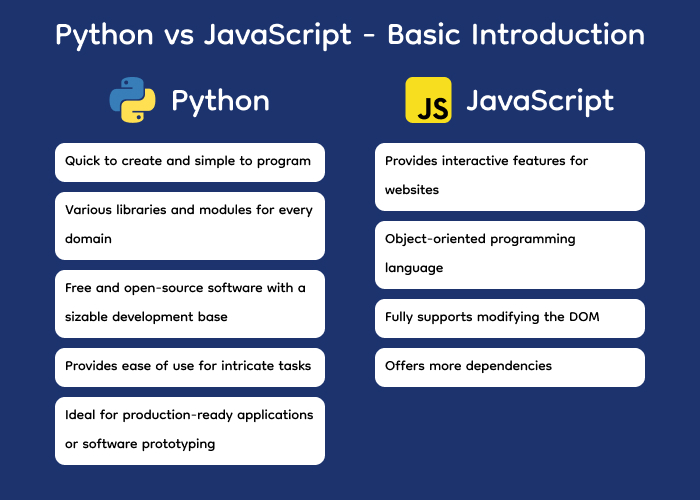
Python vs JavaScript – Basic Introduction

cloud-based application development

Python originally gained popularity in 1991 for writing code that could address any measurable and explicable issues. It has experienced a surge in popularity in the academic setting, processing data, AI/ML, etc., due to software stacks like Django.

Features of Python:

  • Quick to create and simple to program
  • Various libraries and modules for every domain
  • Free and open-source software with a sizable development base
  • Provides ease of use for intricate tasks.
  • Ideal for production-ready applications or software prototyping

JavaScript is a 1995 technology that aims to transform the web into a more interactive, genuine app platform. Although JavaScript was first restricted due to low internet speed, ineffective marketing, bad design decisions, and incompatibility with other browsers, these problems were later resolved by contemporary JavaScript frameworks like jQuery, React, AngularJS, etc.

Features of JavaScript:

  • Provides interactive features for websites.
  • Object-oriented programming language
  • Fully supports modifying the DOM
  • Offers more dependencies

Python vs JavaScript – Performance

Depending on the situation in Python vs JavaScript, both languages have advantages and disadvantages when it comes to performance.
  • Python’s performance: Python is a popular choice for coding, data analysis, and web development because of its well-known simplicity and ease of use. However, because Python is an interpreted language rather than a compiled language like C or C++, it is often slower. CPU-intensive processes may take longer to execute as a result. Using built-in functions, and libraries like NumPy for numerical computations, and writing crucial parts in C or Cython for speed-critical code are just a few optimization strategies that may be used to increase Python’s efficiency.
  • JavaScript’s performance: Just-in-time compilation is one of the advanced optimization strategies employed by modern JavaScript engines, such as V8 and SpiderMonkey, which may greatly increase speed. Because JavaScript is event-driven and asynchronous, it excels at effectively managing I/O-bound tasks like file operations and network requests. However, JavaScript, like Python, might have performance problems while handling computationally demanding jobs.

Python vs JavaScript – Learning Curve & Libraries

  • Python: Python offers an extensive collection of libraries and frameworks that are suited for many fields, such as NumPy, SciPy, Django, Flask, pandas, and TensorFlow, sci-kit-learn. Because of its robust ecosystem, Python is widely used in data science and other related subjects. Tools like pandas and Matplotlib make complicated data processing and visualization jobs easier to do.
  • Javascript: JavaScript developers may use a wide range of tools and services to make their development process more efficient. With new libraries and frameworks appearing to meet contemporary development difficulties like serverless computing and progressive web apps, the JavaScript ecosystem is still fast evolving.

Python vs JavaScript – Scalability

In Python vs JavaScript, JavaScript is more scalable than Python. Scalability is provided by Python web frameworks such as Django and Flask, which provide capabilities like load balancing, caching, and asynchronous request processing.

Furthermore, scalability in high-traffic online applications may be impacted by Python’s synchronous nature, which may lead to less effective handling of concurrent requests when compared to asynchronous languages like Node.js.

Python vs JavaScript – Digital app development

In Python vs JavaScript, both are widely used for online and mobile development, their applications and strengths vary depending on the topic.

  • Web Development: Python offers powerful web frameworks like Django and Flask. Python’s synchronous nature may have an impact on performance in high-traffic situations when compared to asynchronous languages like JavaScript, even if it is a good choice for developing scalable online applications. JavaScript dominates web development with frameworks like React.js, Angular, and Vue.js for front-end development, and Node.js for server-side development. These frameworks offer efficient tools and libraries for building interactive and scalable web applications.
  • Mobile app development: Python can be used for mobile development through frameworks like Kivy and BeeWare. JavaScript is widely used for mobile app development through frameworks like React Native. The popularity and efficacy of frameworks like React Native for mobile development are partly due to JavaScript’s enormous community and ecosystem, as well as its comprehensive documentation and community support.

Conclusion

Choosing between Python vs JavaScript depends on various factors. This includes project requirements, developer expertise, and scalability needs. Python is a popular choice for domains like data science, AI/ML, and web development because of its superior simplicity, adaptability, and ease of use.

However, JavaScript’s asynchronous nature and widespread use in web development make it an excellent choice for creating scalable and dynamic online applications. Making an informed choice ultimately requires knowing the unique characteristics and applications of each language.

FAQs

Is JavaScript faster than Python?
For some jobs, JavaScript generally outperforms Python; this is particularly true in web development, where the asynchronous, event-driven structure of JavaScript can facilitate the fast handling of I/O-bound activities. However, depending on the particular use case and implementation, performance comparisons between Python and JavaScript may differ.
Is Nodejs a language?
Node.js isn’t a language, to clarify. With the help of the runtime environment Node.js, programmers may execute JavaScript code outside of a web browser. Node.js uses JavaScript as its programming language for creating server-side applications.
Is Python easier than JavaScript?
The degree of effort in learning Python as opposed to JavaScript might differ based on personal preferences and background knowledge. Because of its clear syntax and easy readability, Python is sometimes seen as being simpler to learn and use. On the other hand, because web development involves working with DOM and asynchronous programming, JavaScript may be more difficult for novices.
Which is better to learn, Python or JavaScript?
The decision to study Python or JavaScript is influenced by a number of variables, including project needs, career aspirations, and personal preferences. Python is a good fit for domains like machine learning, data science, and backend web development.
Can you learn Python without knowing HTML?
Yes, even if you don’t know HTML, you can learn Python. Beyond web development, Python is a general-purpose programming language that has many uses. Although HTML is frequently used to create web pages, knowing Python does not need knowledge of HTML. But if you want to work on online applications with Python frameworks like Flask or Django, you could find that having some HTML experience can help with web interface design.

The post Python vs JavaScript appeared first on Alian Software.

]]>